
Australia edition
Wedding Budget and Planner (Australia)
Australian couples planning a wedding, whether it's 18 months away or five. Couples with family chipping in, who want to see pledged against what's actually arrived.
ExcelGoogle Sheets
Wedding
The real cost of your wedding, what's due, who's paying what and what to save, in one sheet.
Couples in the US planning a wedding, whether it's a year away or five months. Couples with family chipping in, who want to see pledged against what's actually arrived.
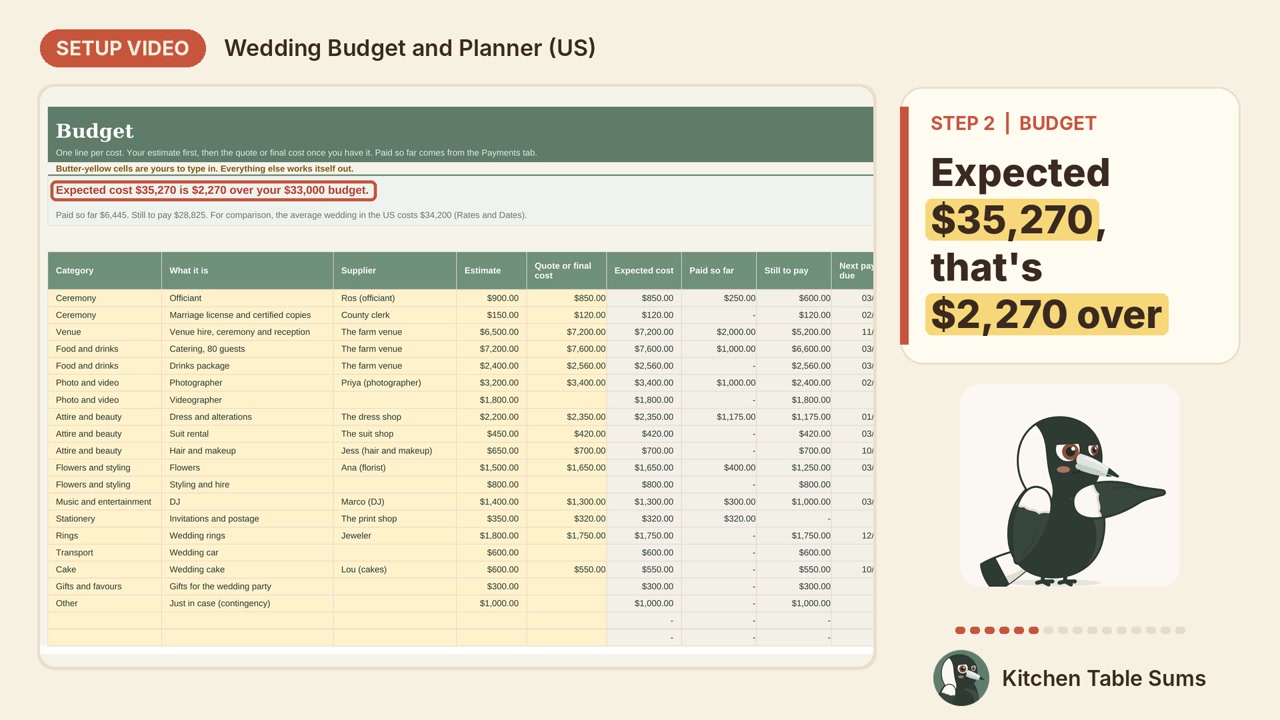
A step-by-step video comes in the download. Here it is, so you know what you're getting.
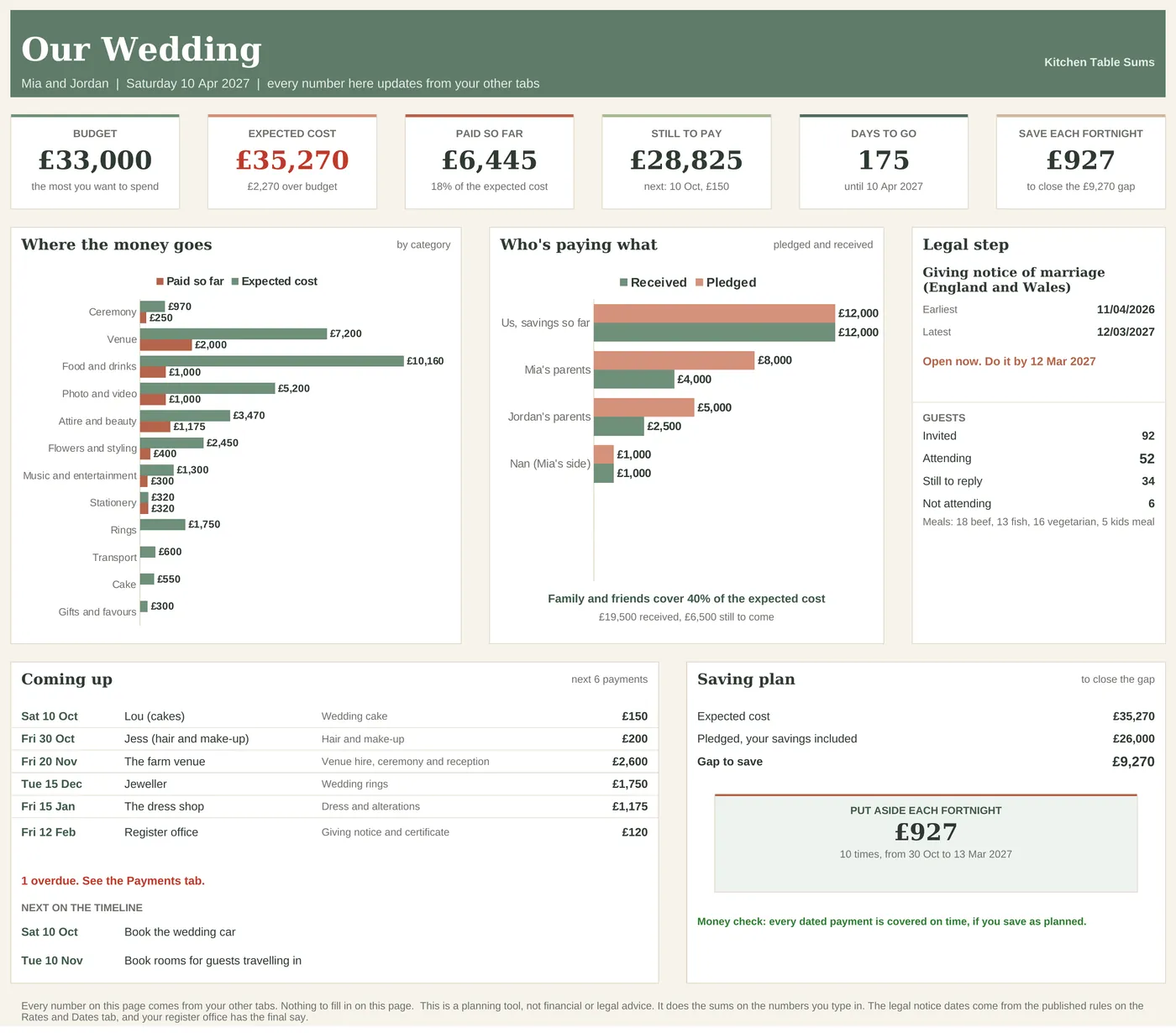
The example couple, Mia and Jordan, are made up. They have a $33,000 budget and an expected cost of $35,270, so the sheet shows them $2,270 over straight away. With $26,000 pledged, the gap is $9,270, and the Saving Plan says $927 every two weeks, ten times, with a check that the money is there when each payment is due.
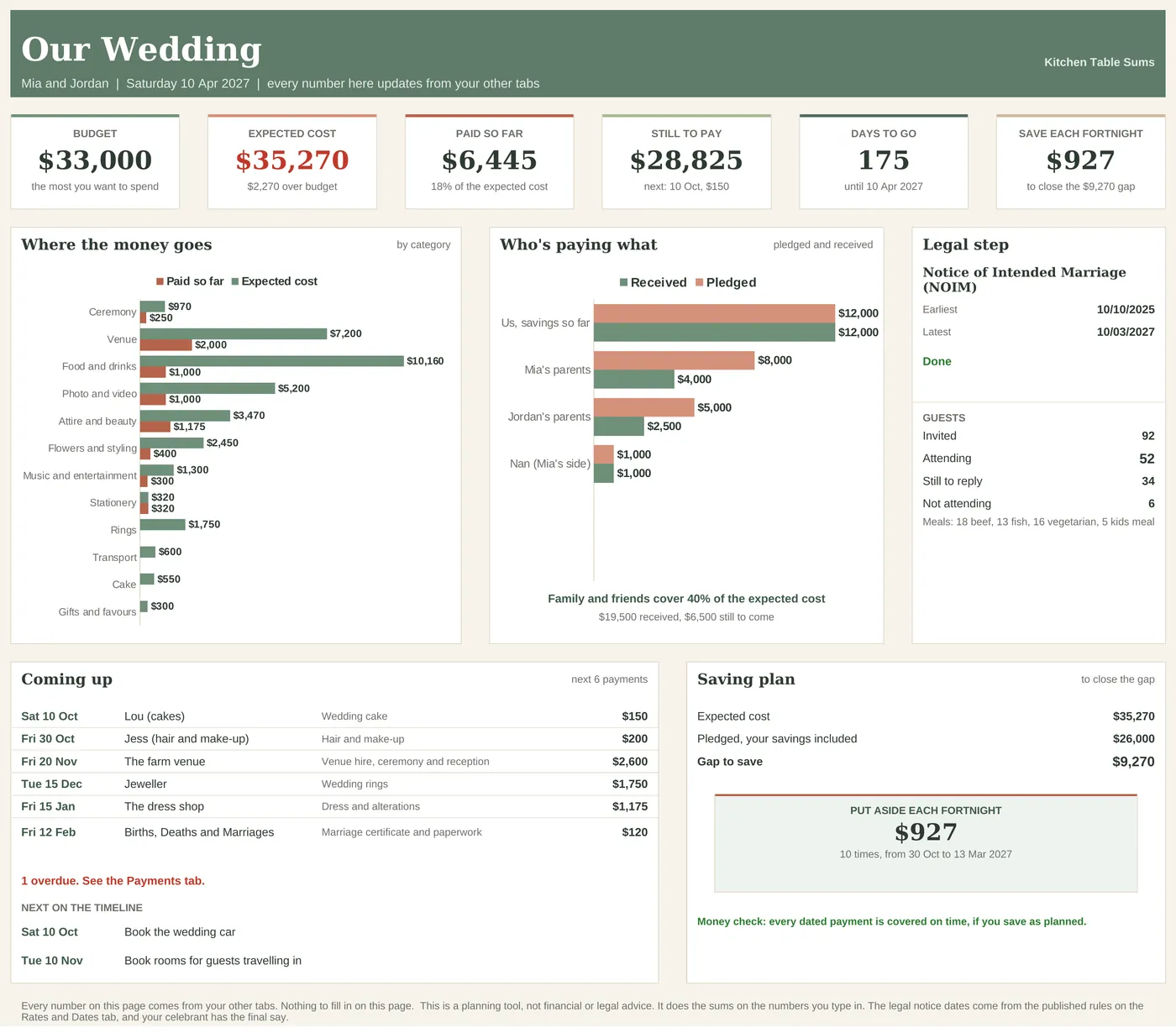
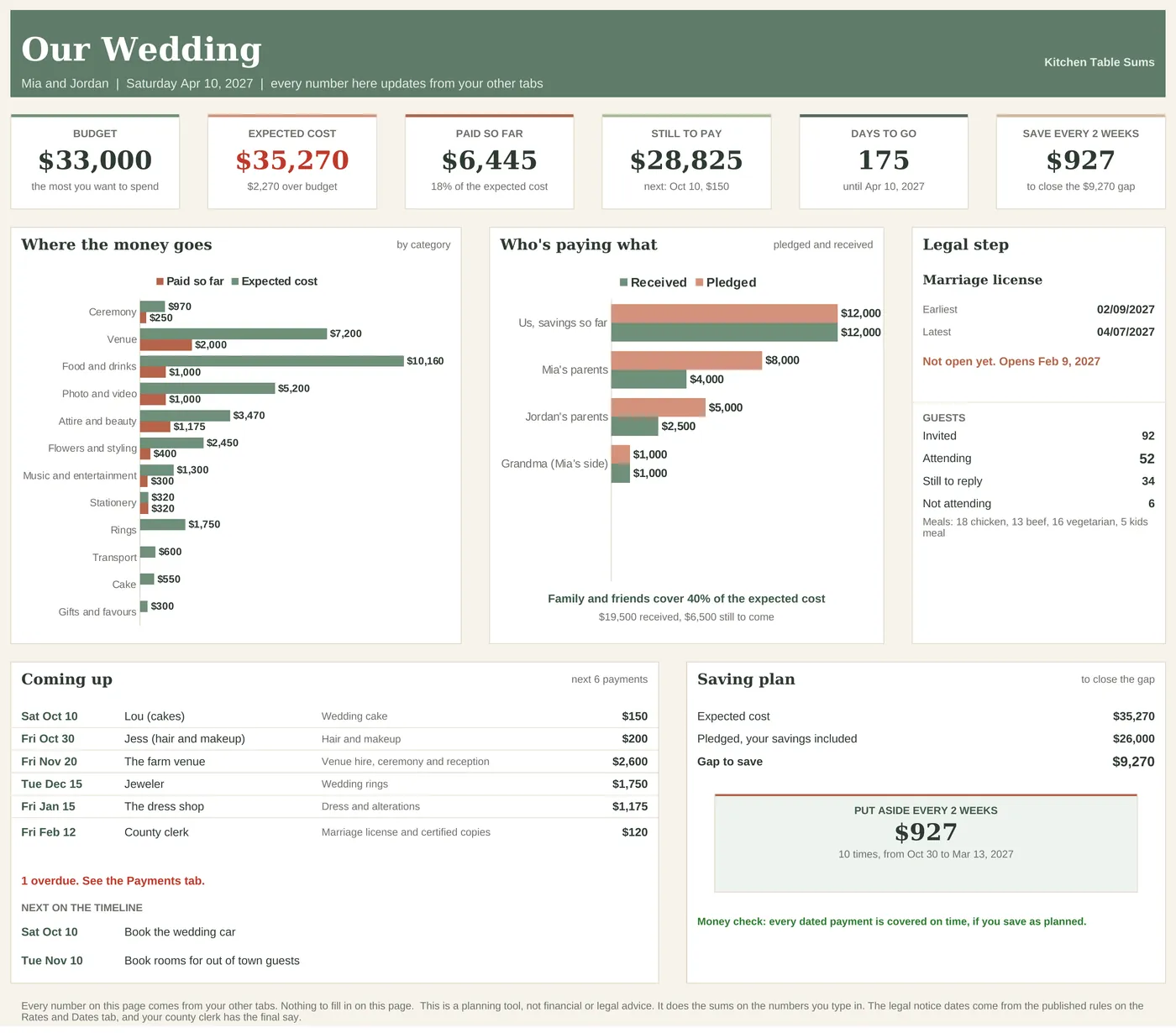
Budget, expected cost, paid so far, still to pay, days to go and what to save, with charts of where the money goes and who's paying what, the marriage license dates, guest numbers, the next 6 payments and the saving plan.
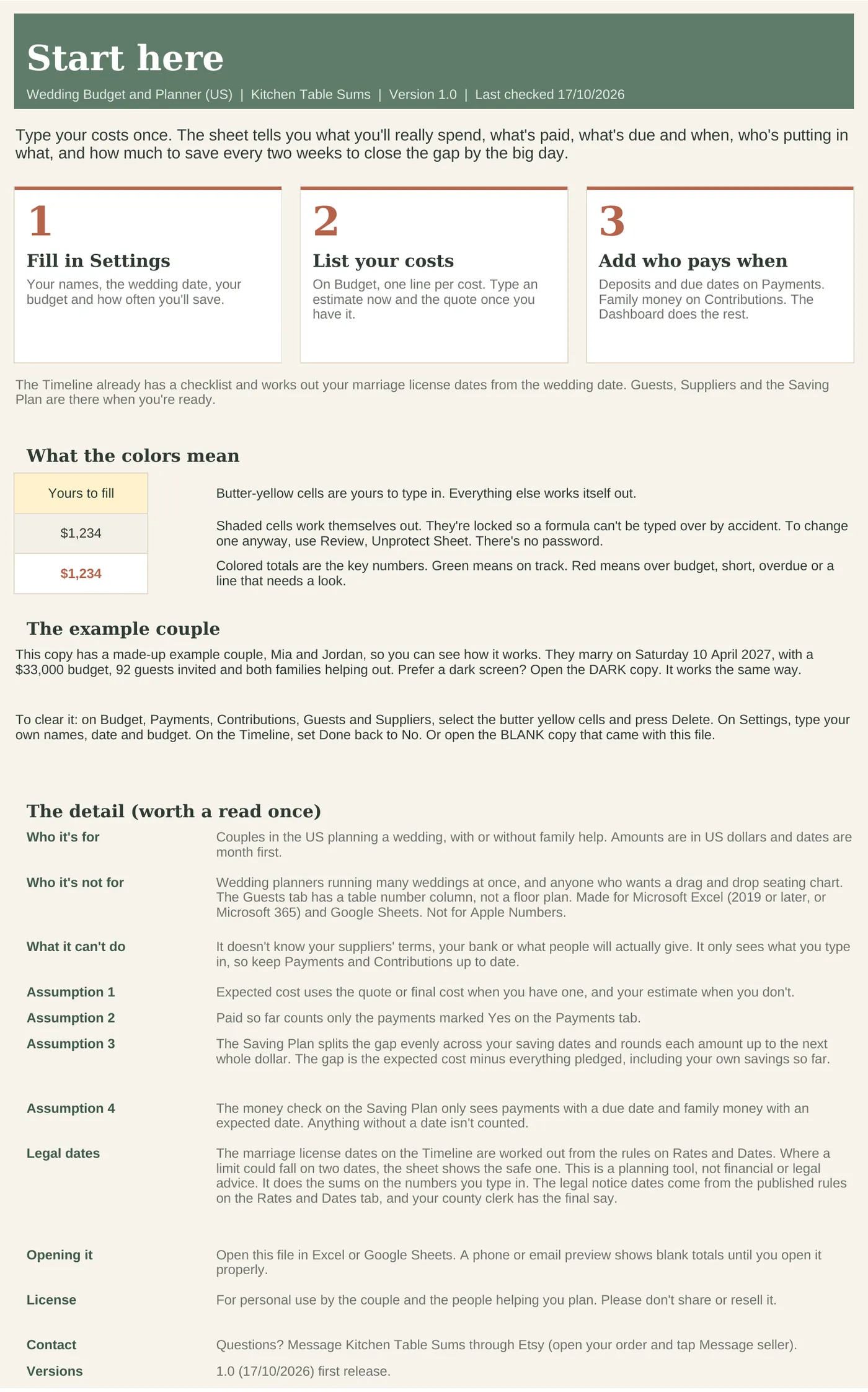
Three steps, what the colours mean, the example couple and the fine print.
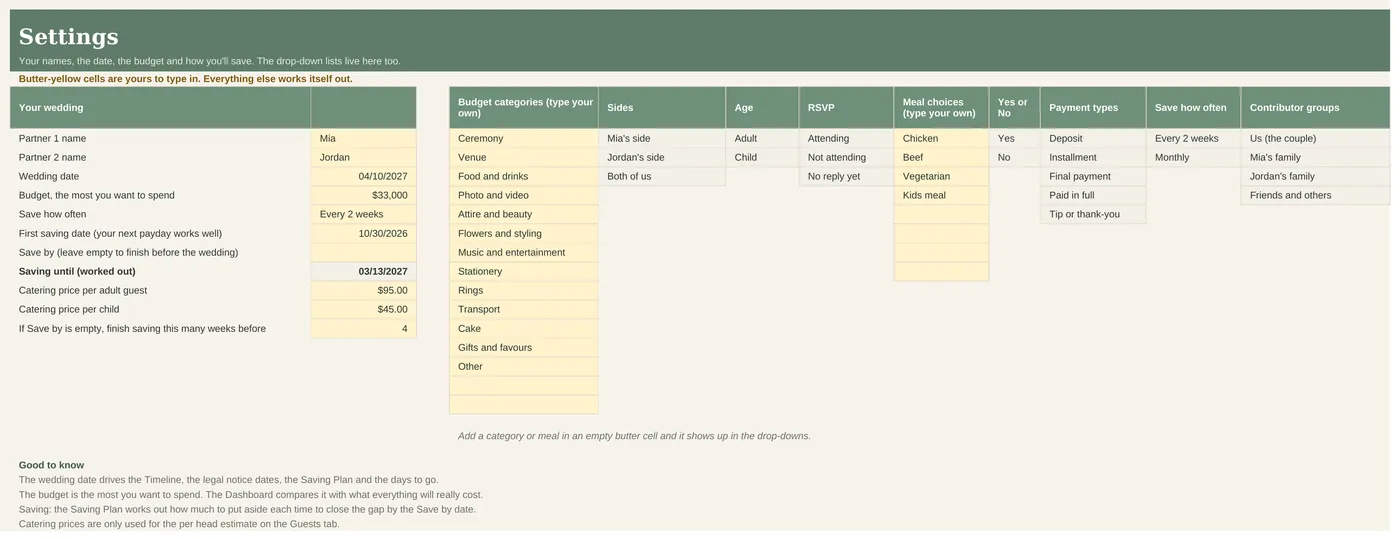
Names, wedding date, budget, how often you'll save, your categories and meal choices.
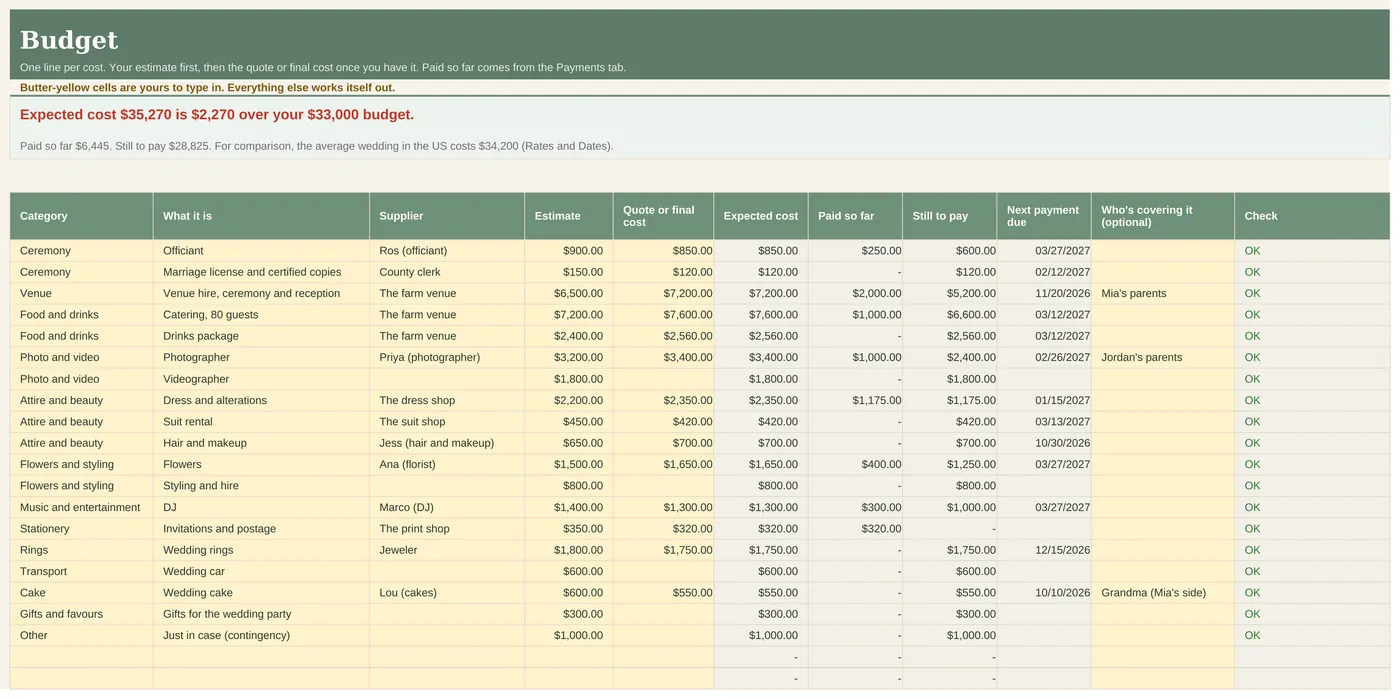
One line per cost with estimate, quote, paid so far, still to pay, next payment due and who's covering it.
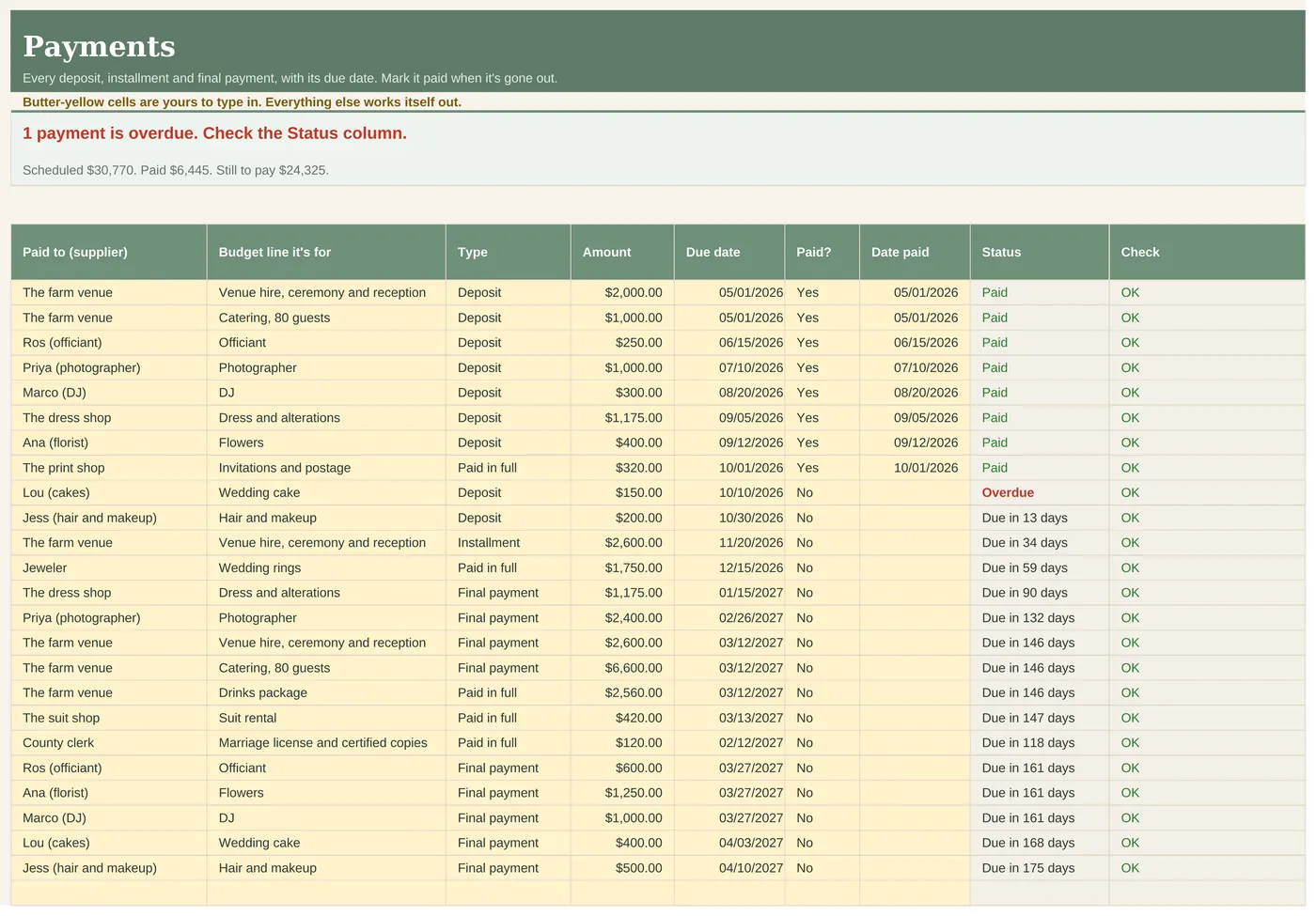
Deposits, installments and final payments with due dates and a status for each.
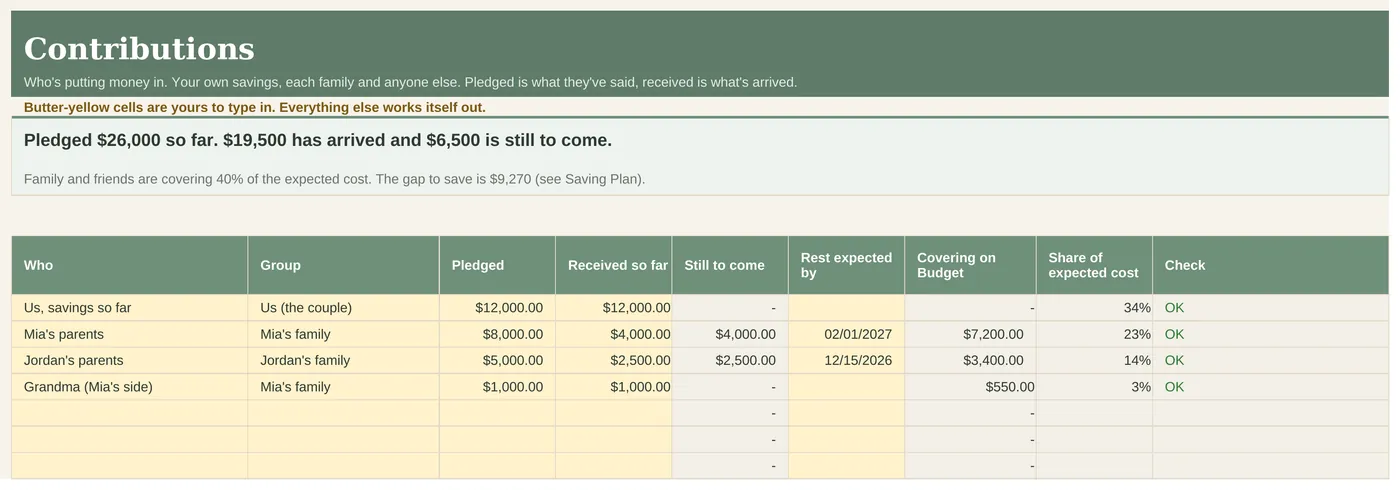
Your savings and each family's money, pledged against received.
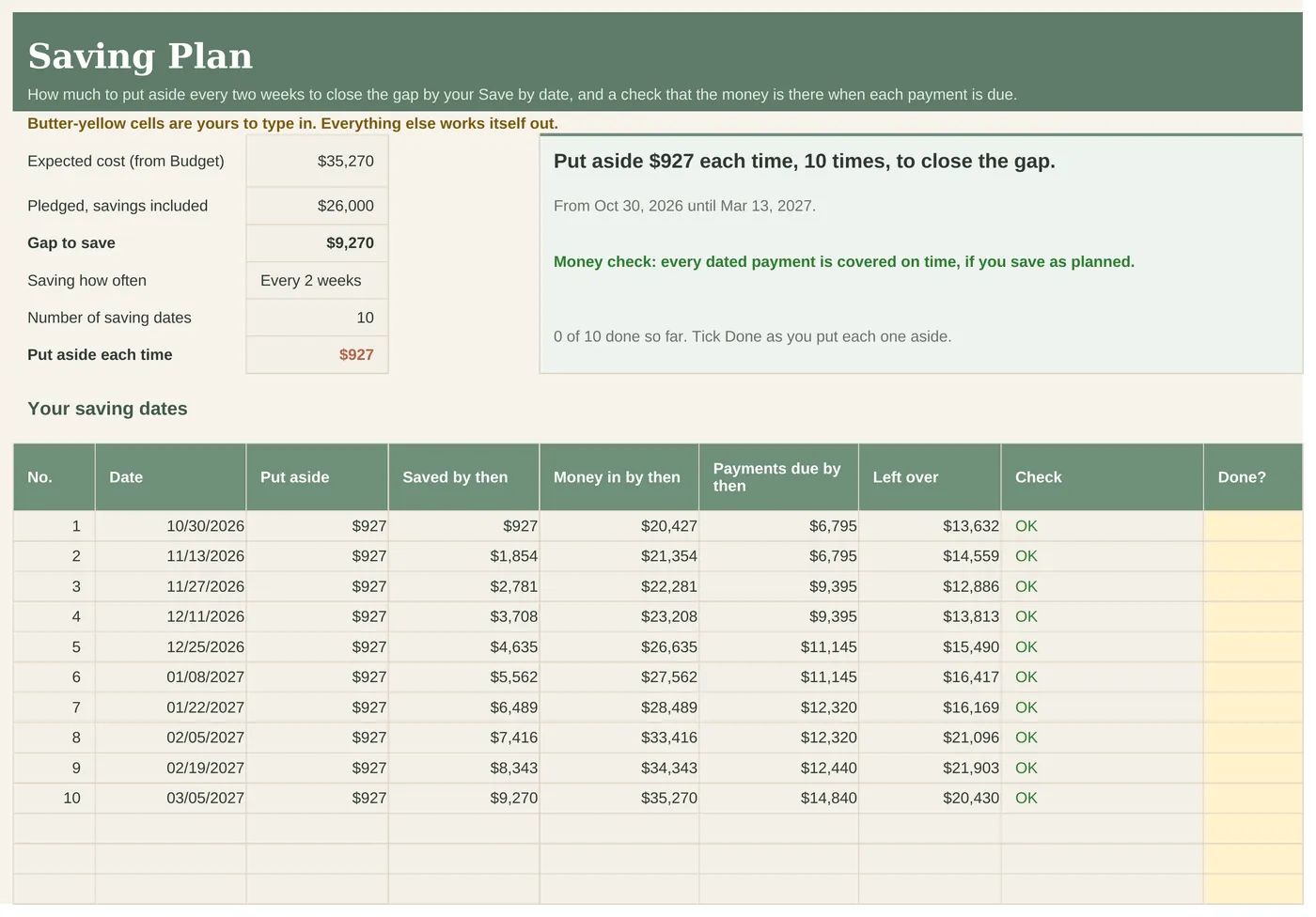
The gap split into what to put aside every two weeks or monthly, with a money check on every date.
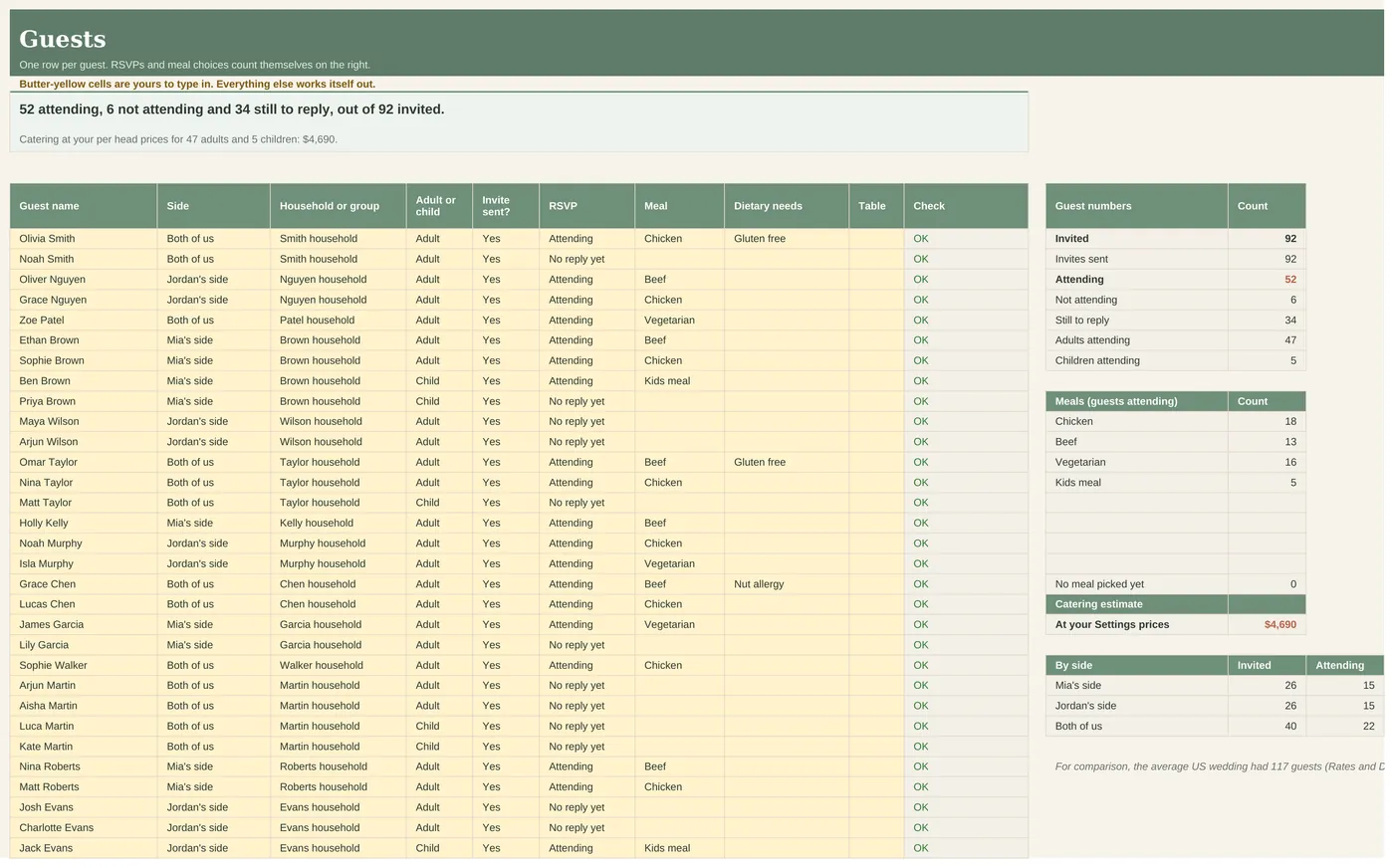
RSVPs, meal choices, dietary needs and tables, with counts.
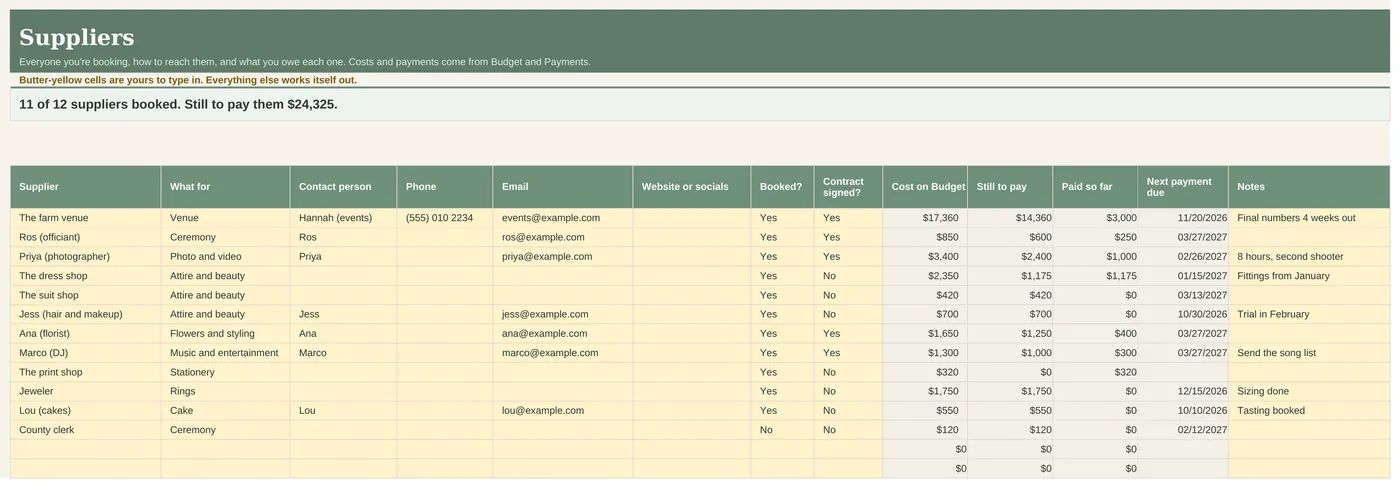
Contacts, bookings and what you owe each one.
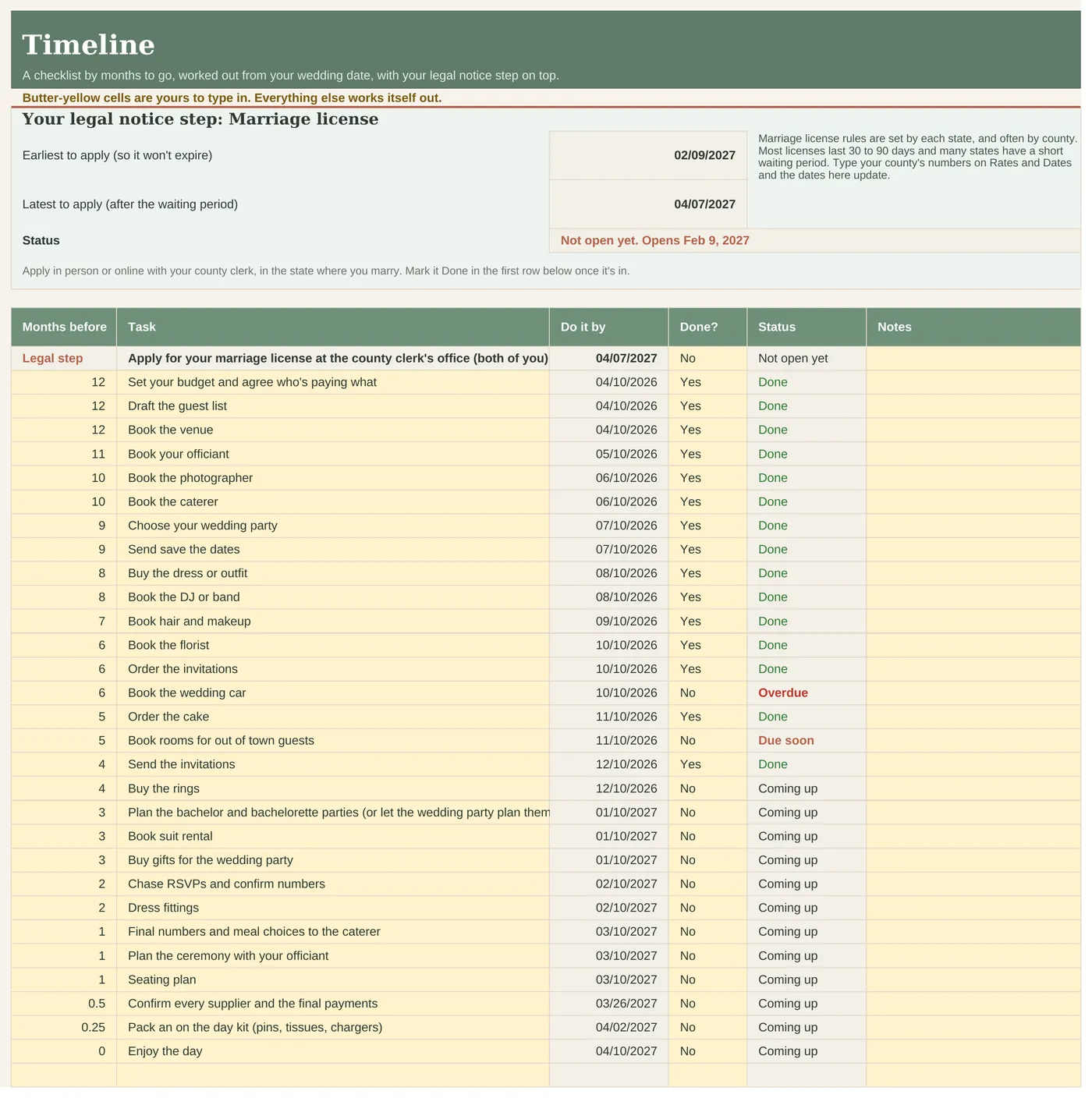
29 tasks from 12 months out to the day, plus your marriage license dates on top.
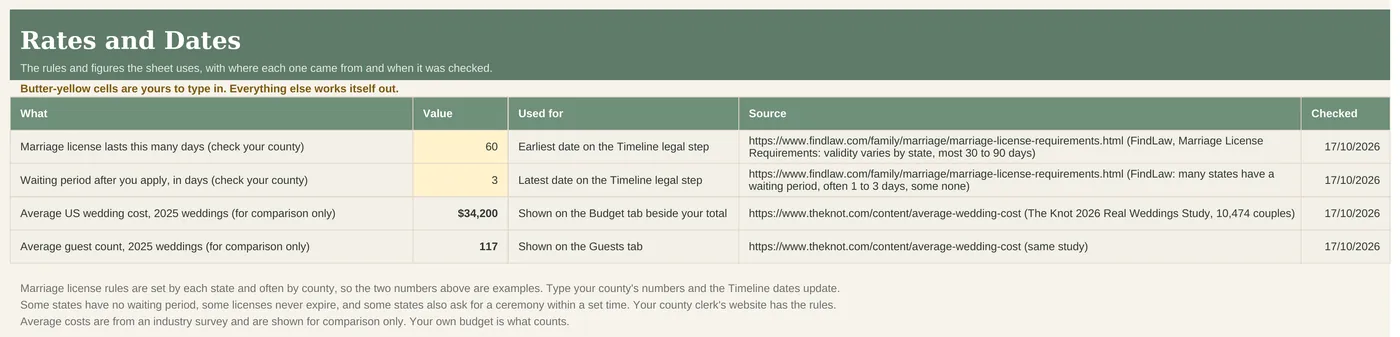
Every rule and figure with its source and the date checked.
| Excel 2019 or later (Windows and Mac) | Yes |
|---|---|
| Microsoft 365 | Yes |
| Google Sheets | Yes, upload and open |
| Excel for the web | Yes, for everyday use |
| Phone or tablet | Quick looks and entries. Set up on a computer |
| Apple Numbers | No |
No reviews yet. This sheet is new to the site. Every review will show here, good or bad, with its date. See how we handle reviews.
Yes. Type an estimate for each line and add the quote when it comes. The expected cost updates.
No sheet can, because they change by state and often by county. On Rates and Dates you type how many days a license lasts and any waiting period (the example uses 60 and 3). The Timeline then shows the earliest and latest day to apply. Your county clerk's website has your numbers.
Yes. Add them on Contributions, then pick their name on the Budget lines they're covering.
The Saving Plan checks every saving date against the payments due by then and flags the first date you'd be short.
Yes. Share it through Google Drive or keep it on one laptop.
Yes. Light and dark copies of the example and BLANK files are in the download.
Yes, in Excel for Mac (2019 or later, or Microsoft 365) or in Google Sheets in any browser. Not in Apple Numbers.
Fine for a quick look or a quick entry in the Excel or Google Sheets app. Do the first setup on a computer.
Whichever you already use. Excel if you like keeping files on your own computer. Google Sheets if you want to share it with a partner. To use Google Sheets, upload the file to your Google Drive and open it with Google Sheets.
No. You pay once and the files are yours to keep.
Email us and we'll fix it, replace it or refund you. Faulty files, files that don't work as described and wrong files are always covered under the Australian Consumer Law.
Refunds. Because these are instant digital downloads, we don't offer refunds if you simply change your mind. This doesn't affect your rights under the Australian Consumer Law. If a file is faulty, doesn't work as described or isn't what you ordered, email us and we'll fix it, replace it or refund you. Full refund policy.
Licence. For you and your household (or your own business). Please don't share or resell the file. Licence.
A planning tool, not financial or legal advice. It does the sums on the numbers you type in. The legal notice dates come from the published rules listed on the Rates and Dates tab, checked 17 October 2026, and your county clerk has the final say. Amounts in US dollars, dates month first.
Australia edition
Australian couples planning a wedding, whether it's 18 months away or five. Couples with family chipping in, who want to see pledged against what's actually arrived.
ExcelGoogle Sheets
UK edition
Couples in England and Wales planning a wedding, whether it's a year away or five months. Couples with family chipping in, who want to see pledged against what's actually arrived.
ExcelGoogle Sheets