
Budgets
Fortnightly Budget
Know what to move on payday, and what's left to spend.
For one pay or two. Couples, families, single parents and anyone paid weekly, fortnightly or monthly.
Watch the setup.
A step-by-step video comes in the download. Here it is, so you know what you're getting.
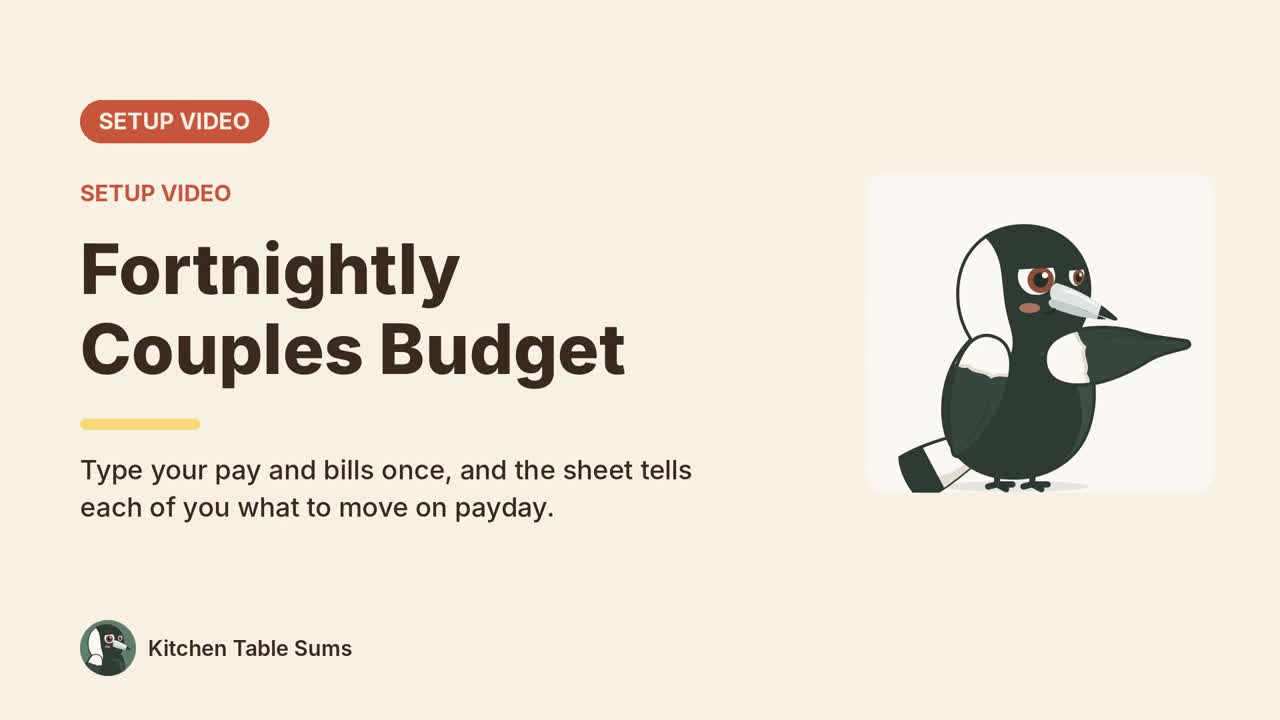
Every tab, with the example data in.
The example is a made-up couple. Sam is paid A$2,450 every second Thursday and Alex A$3,900 on the 15th of each month. Split by pay, Sam covers 58% of joint costs and Alex 42%. After every transfer they have A$753 a fortnight left between them. The download also has a one-person example, for one-income homes.
Dashboard
The whole budget on one page.
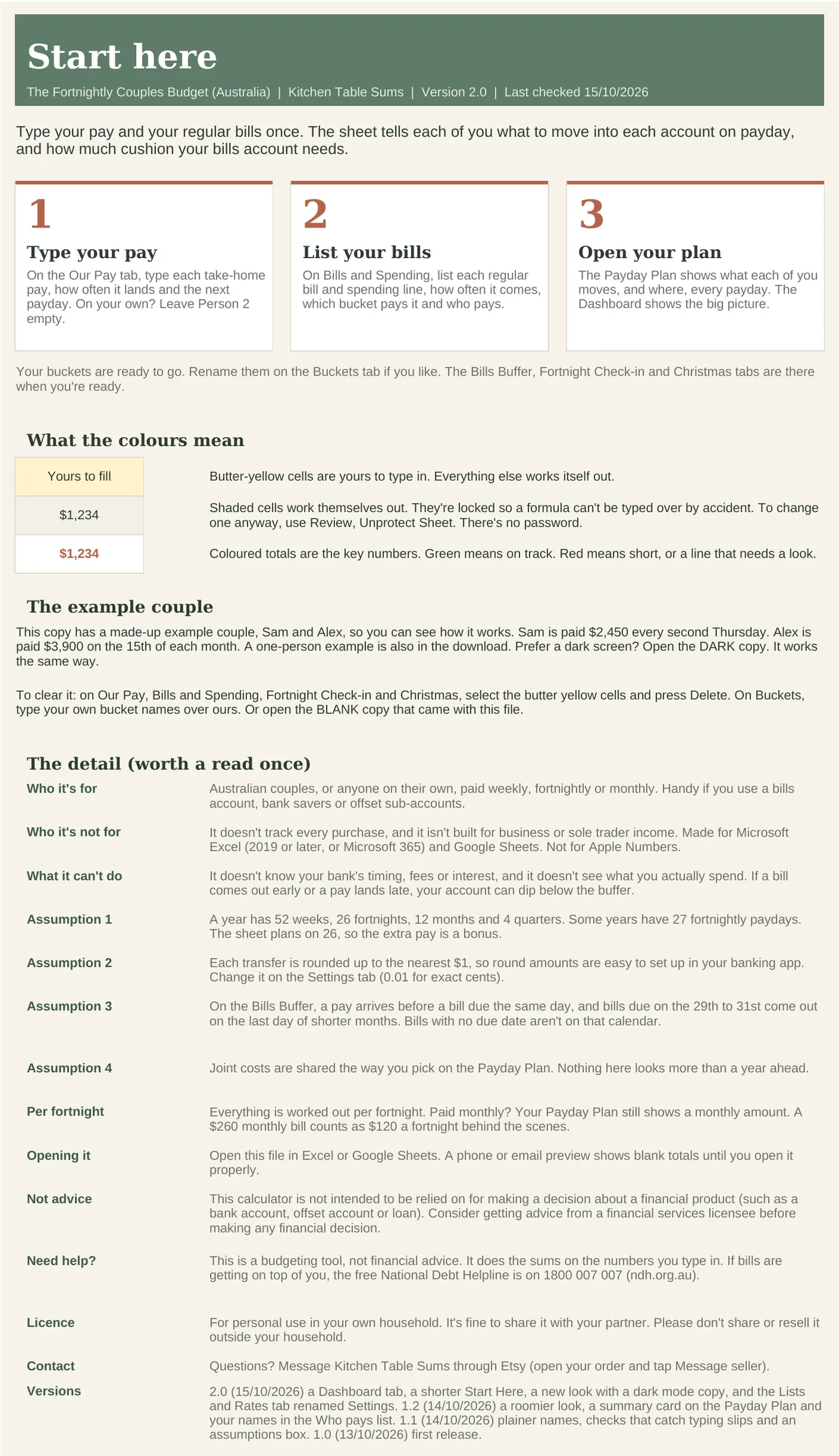
Start Here
Three steps to get going, and what the colours mean.
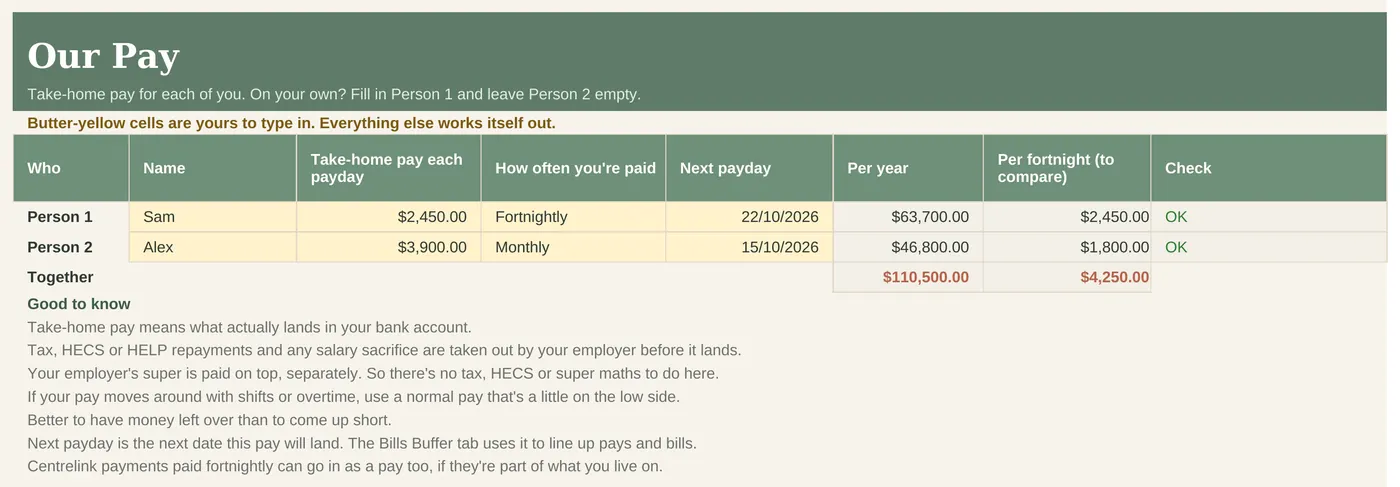
Our Pay
Each pay, how often it lands and the next payday. Works for one person too.
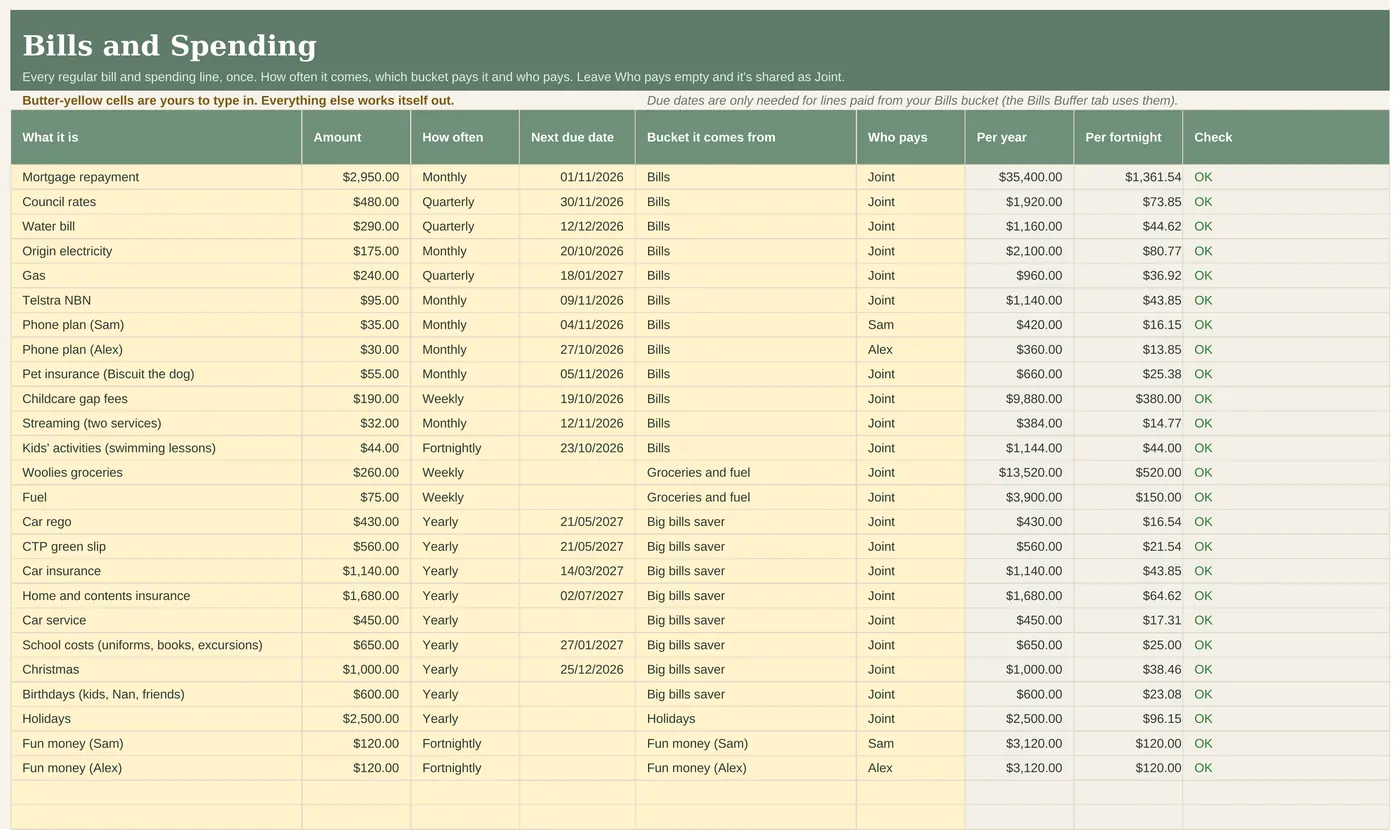
Bills and Spending
Every bill once, with how often it comes. Each becomes a per-fortnight cost.
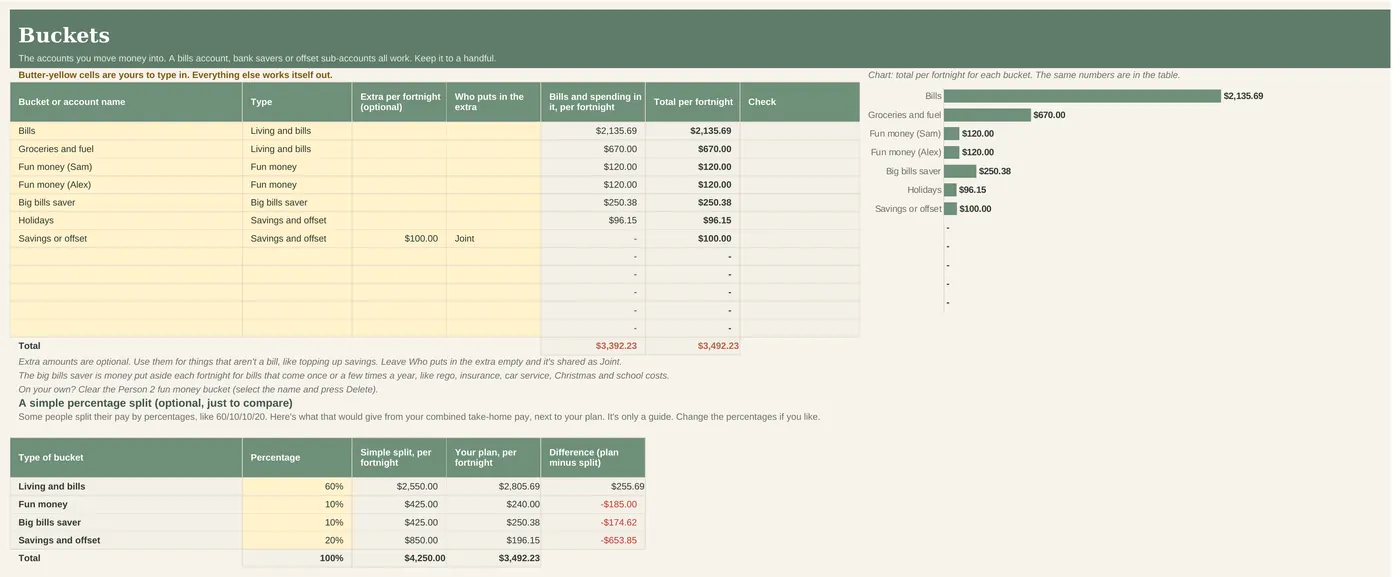
Buckets
The accounts you move money into.
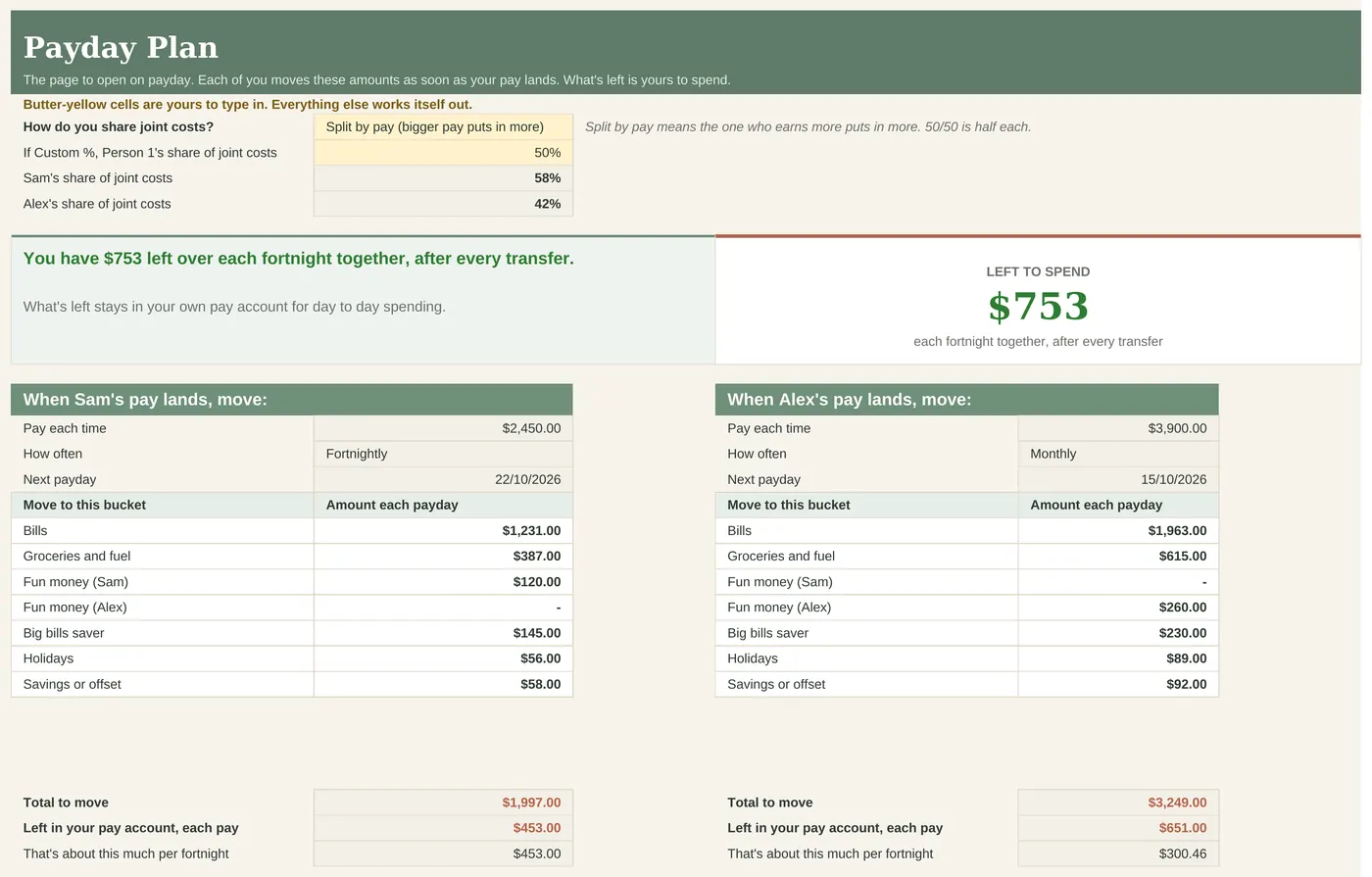
Payday Plan
The page to open on payday: what each of you moves, and where.
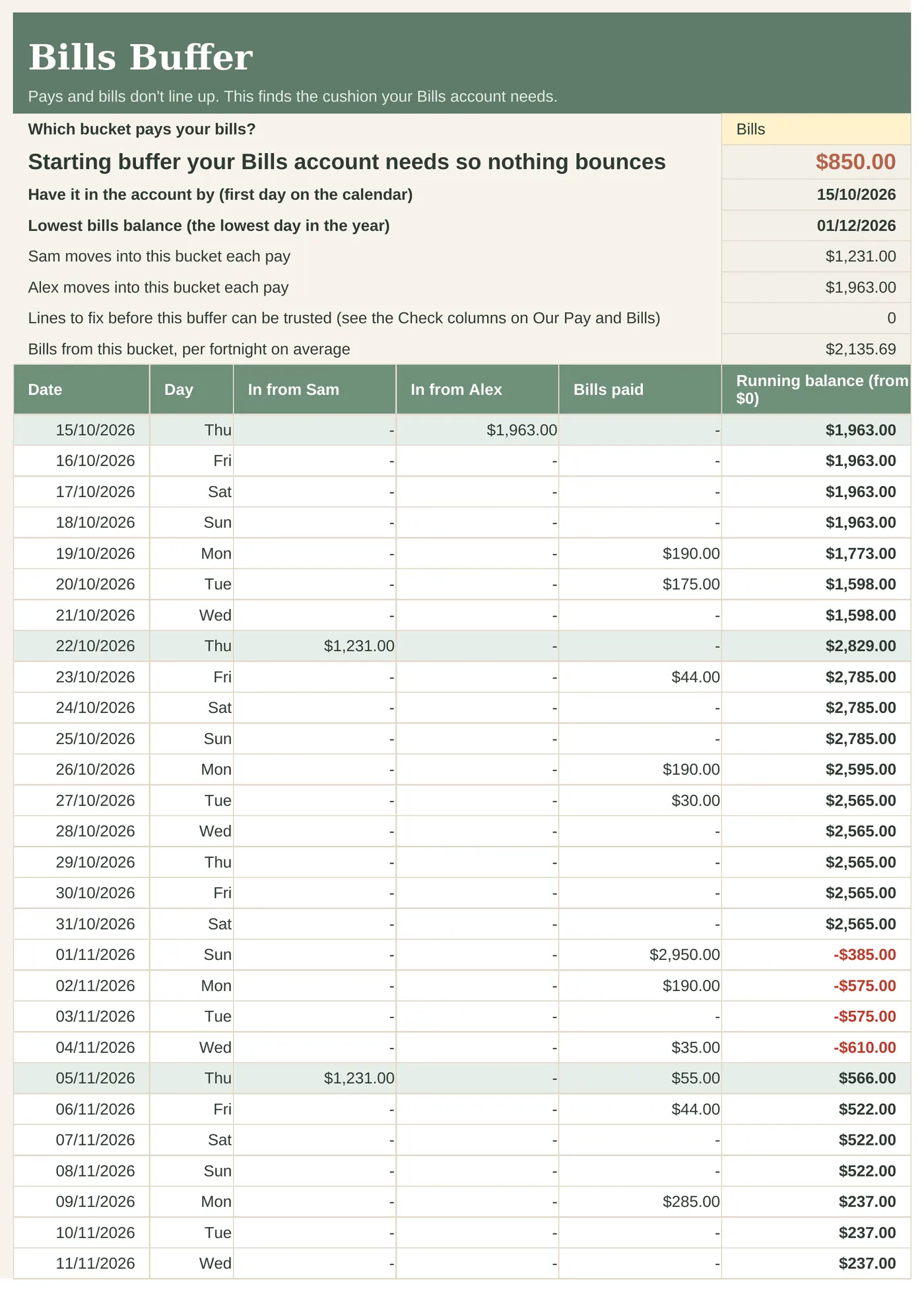
Bills Buffer
Finds the lowest point of your bills account across a year, so nothing bounces.
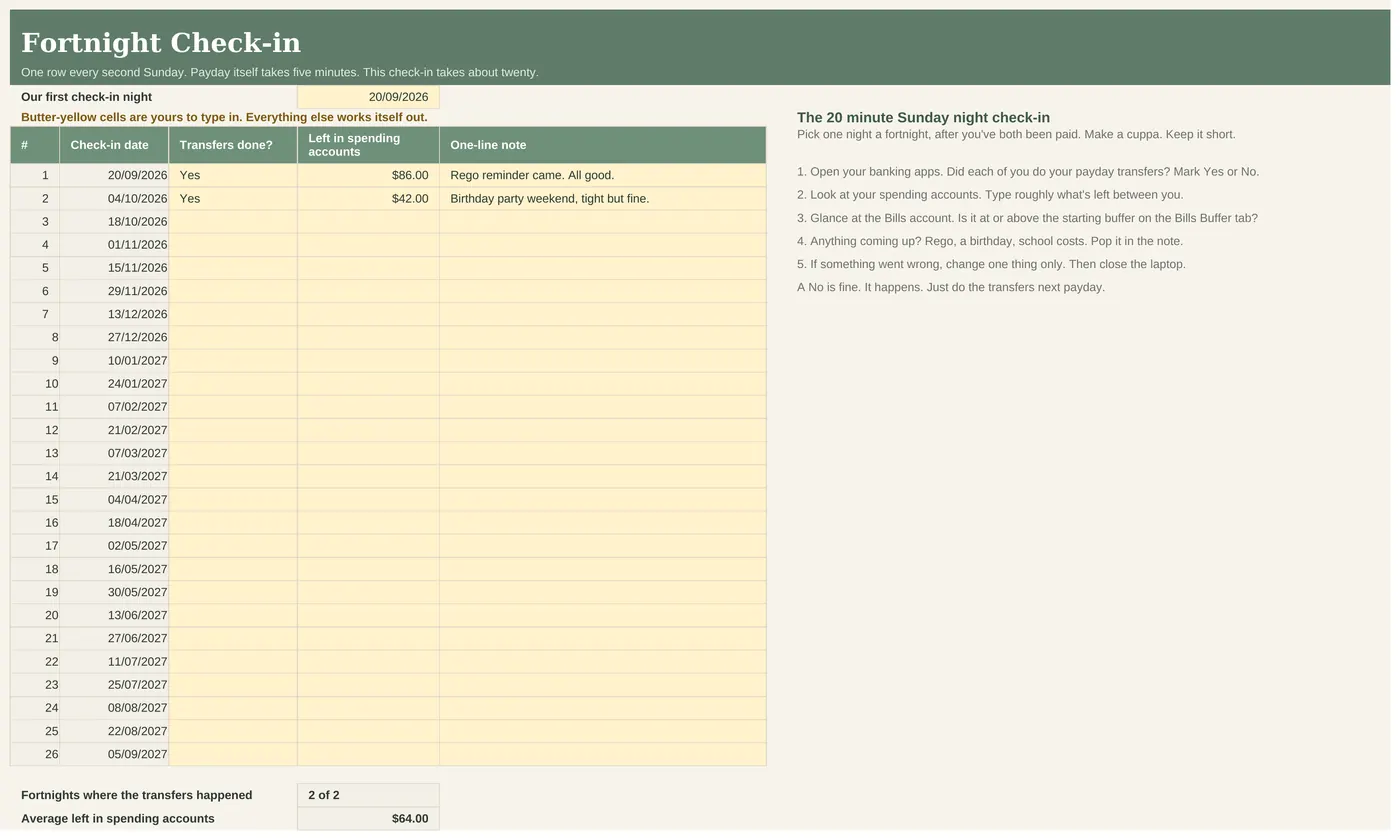
Fortnight Check-in
One row and a 20 minute chat every second Sunday.
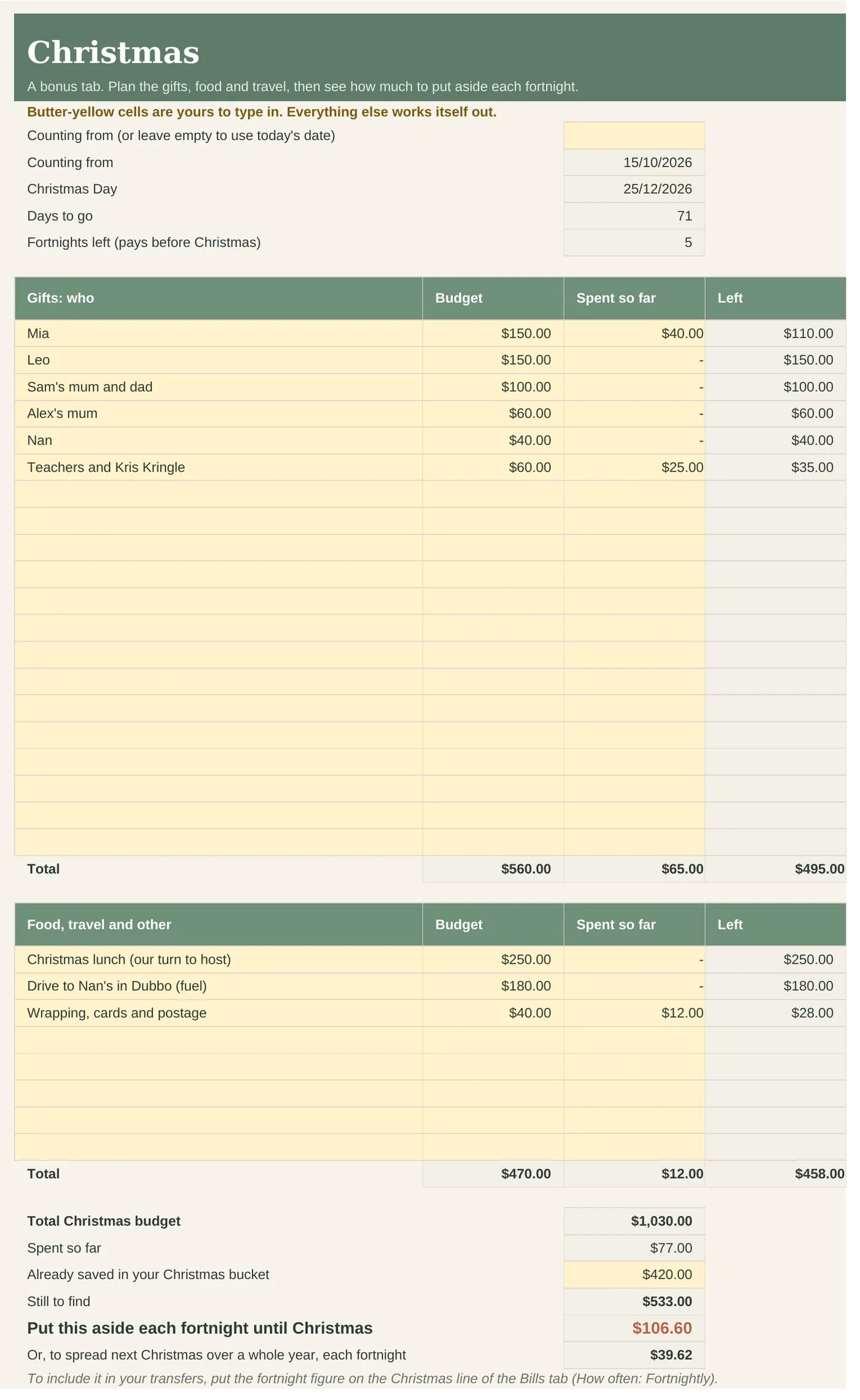
Christmas
Gifts, food and travel, with what to put aside each fortnight.
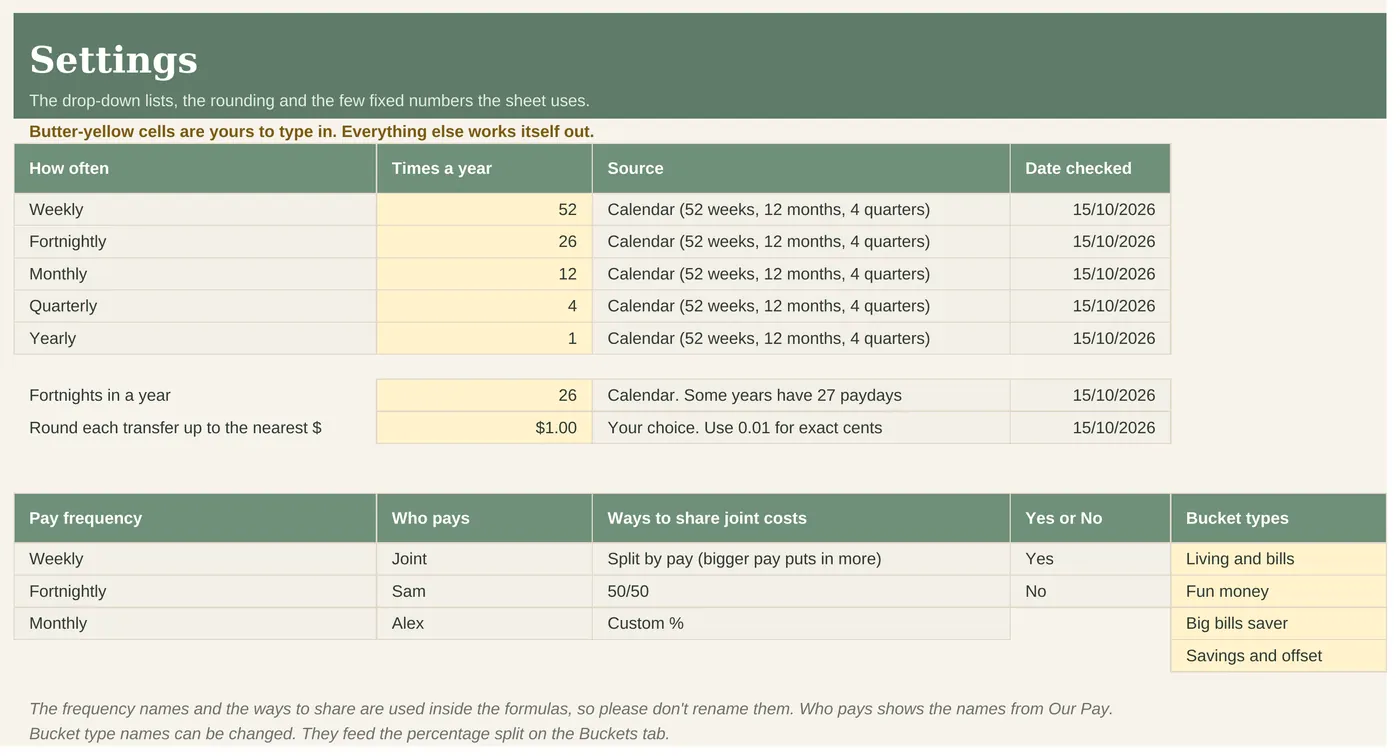
Settings
The drop-down lists and the rounding.
Who it's for
- Anyone in Australia who wants a plan for every payday, on one pay or two.
- Couples who share bills, paid on the same day or different days. Split joint costs 50/50, by pay, or your own %.
- Single parents and one-income homes. Leave the second person empty.
- Households using a bills account, bank savers or mortgage offset sub-accounts as buckets.
Who it's not for
- Logging every coffee and receipt. This plans your paydays, it doesn't track each purchase.
- Connecting to your bank. This is a spreadsheet you fill in. There's no bank login, on purpose.
- ABN income. For that, add the Sole Trader tracker, or get the bundle.
- Apple Numbers users.
What's inside
- 10 tabs, opening on the Dashboard
- An example copy to learn on, a one-person example and a BLANK copy to fill in
- Light and dark versions of the example and BLANK copies
- A step-by-step setup video
- Works in Excel 2019 or later, Microsoft 365 and Google Sheets
How setup works
- On Our Pay, type each take-home pay, how often it lands and the next payday. On your own? Leave Person 2 empty.
- On Bills and Spending, list each regular bill once, how often it comes, which bucket pays it and who pays.
- When your pay lands, open the Payday Plan and do the transfers it lists. What's left is yours to spend.
Works in
| Excel 2019 or later (Windows and Mac) | Yes |
|---|---|
| Microsoft 365 | Yes |
| Google Sheets | Yes, upload and open |
| Excel for the web | Yes, for everyday use |
| Phone or tablet | Quick looks and entries. Set up on a computer |
| Apple Numbers | No |
Reviews
No reviews yet. This sheet is new to the site. Every review will show here, good or bad, with its date. See how we handle reviews.
Questions people ask.
Is this just for couples?
No. It works for one pay or two. Leave Person 2 empty and it becomes a one-person budget. The download includes a one-person example too.
We earn very different amounts. Is 50/50 fair?
That's up to you. The sheet does three ways: 50/50, split by pay, or a custom %. Change it and every transfer updates.
How long does setup take?
About ten minutes if you know your pay and have your banking app open for the bills.
Is there a monthly version?
You don't need one. Pick Monthly on Our Pay and the Payday Plan shows a monthly amount for each bucket.
Can we both use it?
Yes. Upload it to Google Drive and share it with each other, or keep it on the family laptop. That's covered by the licence.
Does it work on a Mac?
Yes, in Excel for Mac (2019 or later, or Microsoft 365) or in Google Sheets in any browser. Not in Apple Numbers.
Does it work on my phone?
Fine for a quick look or a quick entry in the Excel or Google Sheets app. Do the first setup on a computer.
Excel or Google Sheets, which should I pick?
Whichever you already use. Excel if you like keeping files on your own computer. Google Sheets if you want to share it with a partner. To use Google Sheets, upload the file to your Google Drive and open it with Google Sheets.
Is it a subscription?
No. You pay once and the files are yours to keep.
What if it doesn't work?
Email us and we'll fix it, replace it or refund you. Faulty files, files that don't work as described and wrong files are always covered under the Australian Consumer Law.
Is this financial advice?
No. It's a budgeting tool that does the sums on the numbers you type in. It doesn't know your full situation.
Refunds. Because these are instant digital downloads, we don't offer refunds if you simply change your mind. This doesn't affect your rights under the Australian Consumer Law. If a file is faulty, doesn't work as described or isn't what you ordered, email us and we'll fix it, replace it or refund you. Full refund policy.
Licence. For you and your household (or your own business). Please don't share or resell the file. Licence.
This is a budgeting tool, not financial advice. It does the sums on the numbers you type in and doesn't know your full situation. It isn't intended to be relied on for making a decision about a financial product (such as a bank account, offset account or loan).
Bundle
Fortnightly Budget plus Sole Trader bundle
A household where one or both of you has ABN income. Bought separately: A$15.98. The bundle: A$11.99.