
Family admin
Family Command Centre
Pick your state once and see your 2027 school terms, public holidays, birthdays, bills, school costs and pocket money on one family calendar.
For Australian families with school-age kids, in any state or territory.
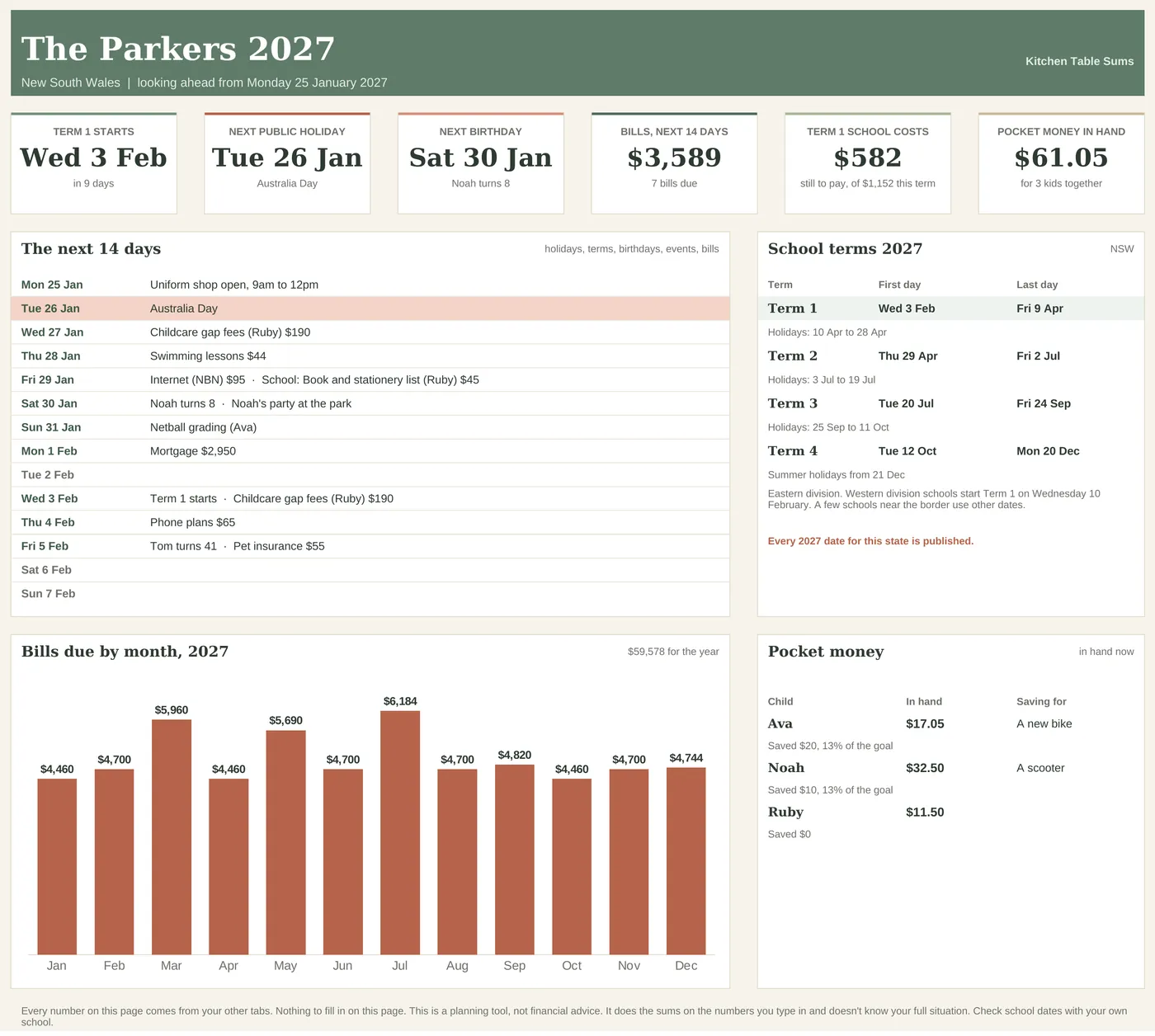
Watch the setup.
A step-by-step video comes in the download. Here it is, so you know what you're getting.
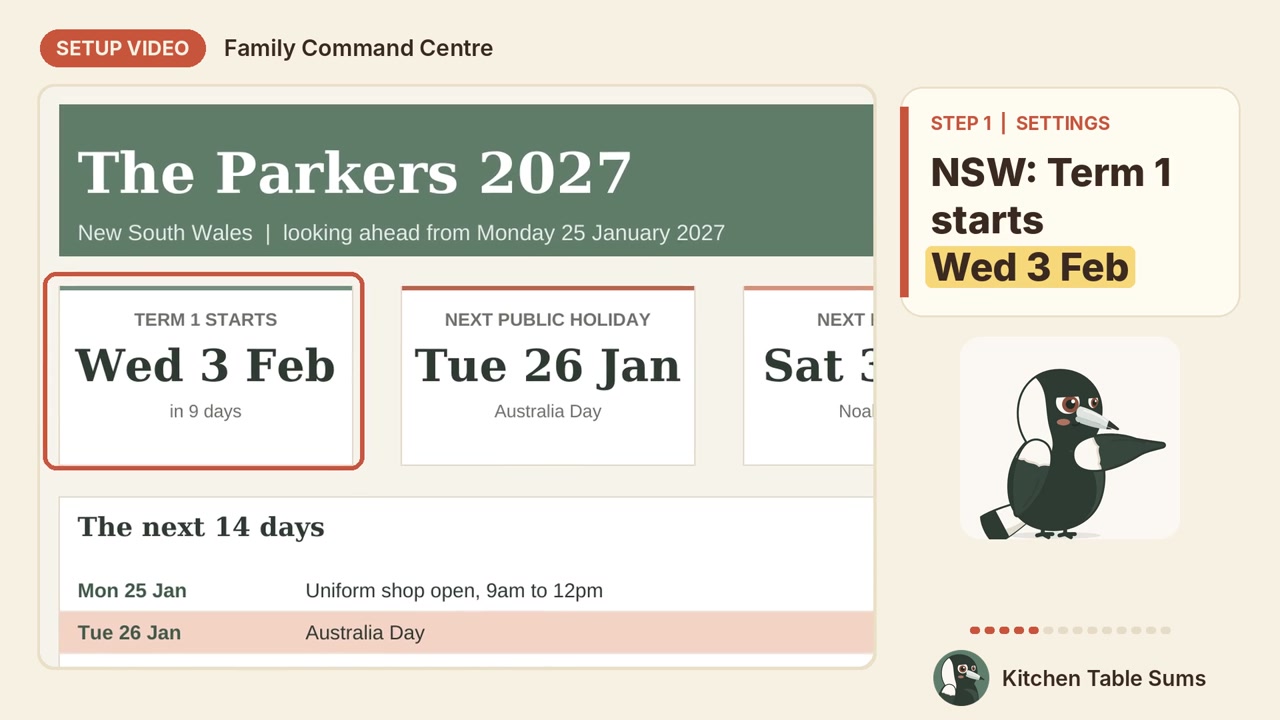
Every tab, with the example data in.
The example is the Parkers, a made-up family in New South Wales, looking ahead from Monday 25 January 2027. The Dashboard shows Term 1 starting on Wednesday 3 February, Australia Day, the next birthday and the bills due in the next 14 days.
Dashboard
The next 14 days day by day, six cards (next school milestone, next public holiday, next birthday, bills in the next 14 days, this term's school costs still to pay, pocket money in hand), the 2027 school terms with the holidays between, bills by month and each child's savings.
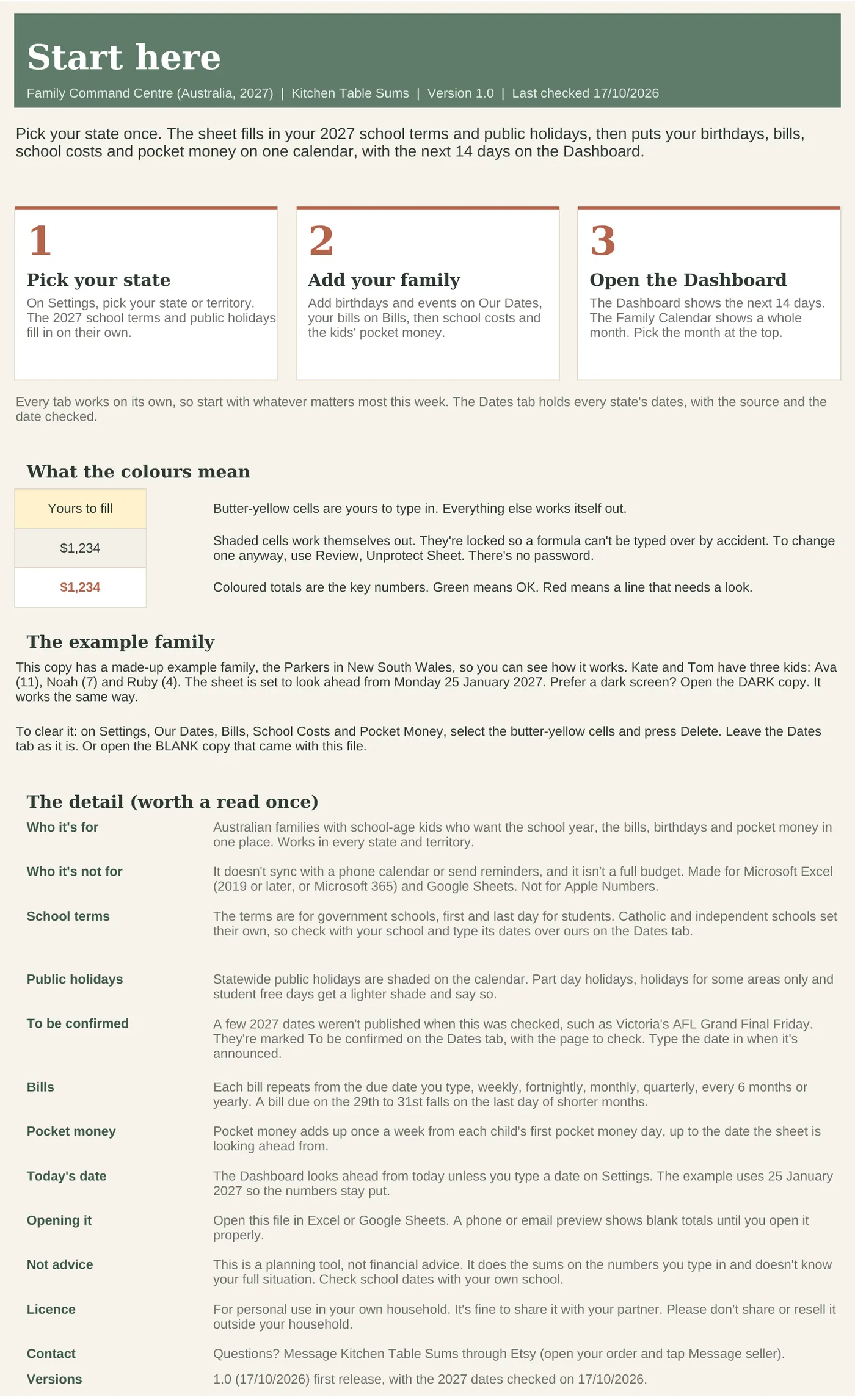
Start Here
Three steps, the colour key and the fine print.
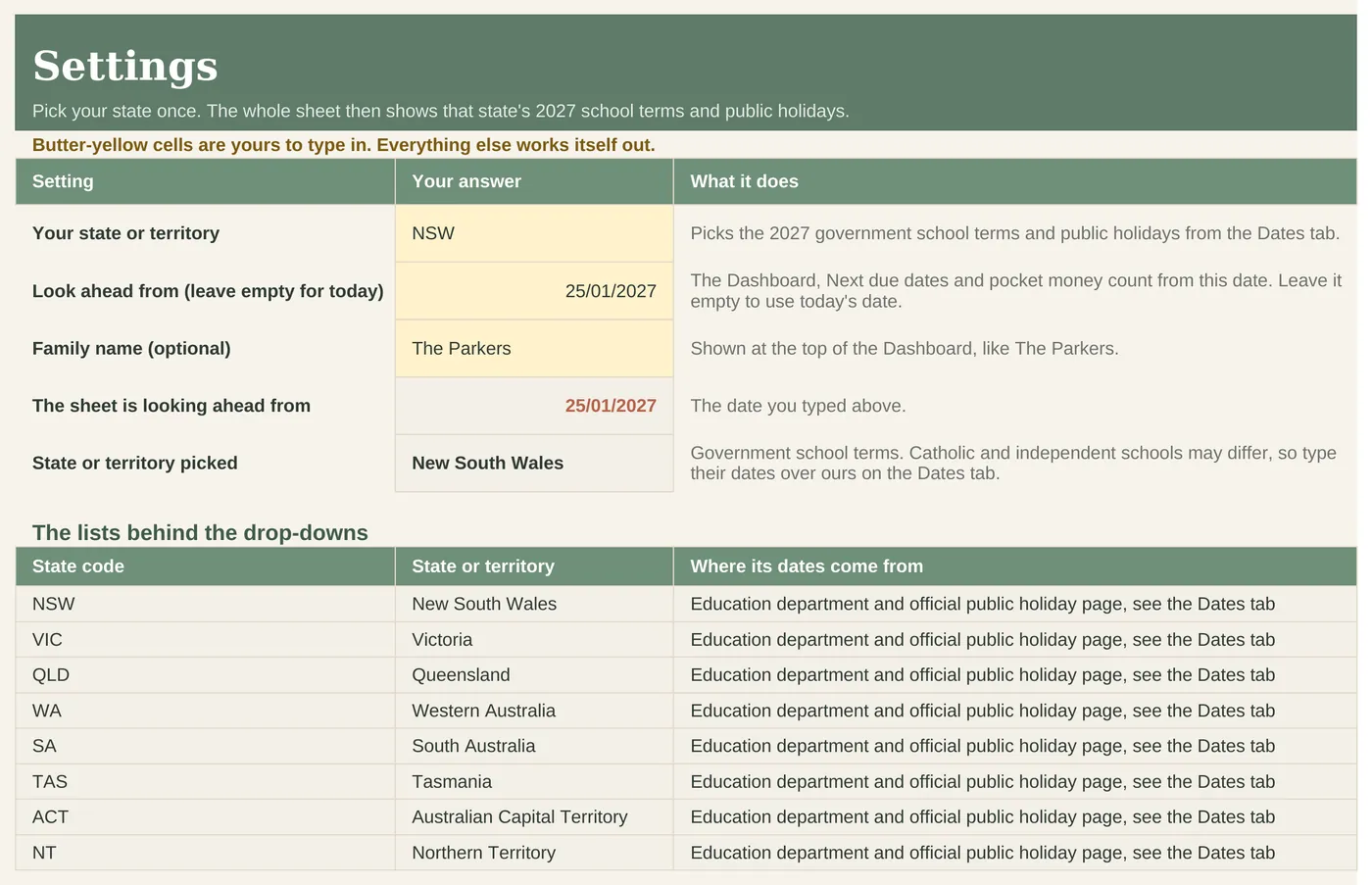
Settings
Pick your state or territory, an optional look-ahead date and the family name.
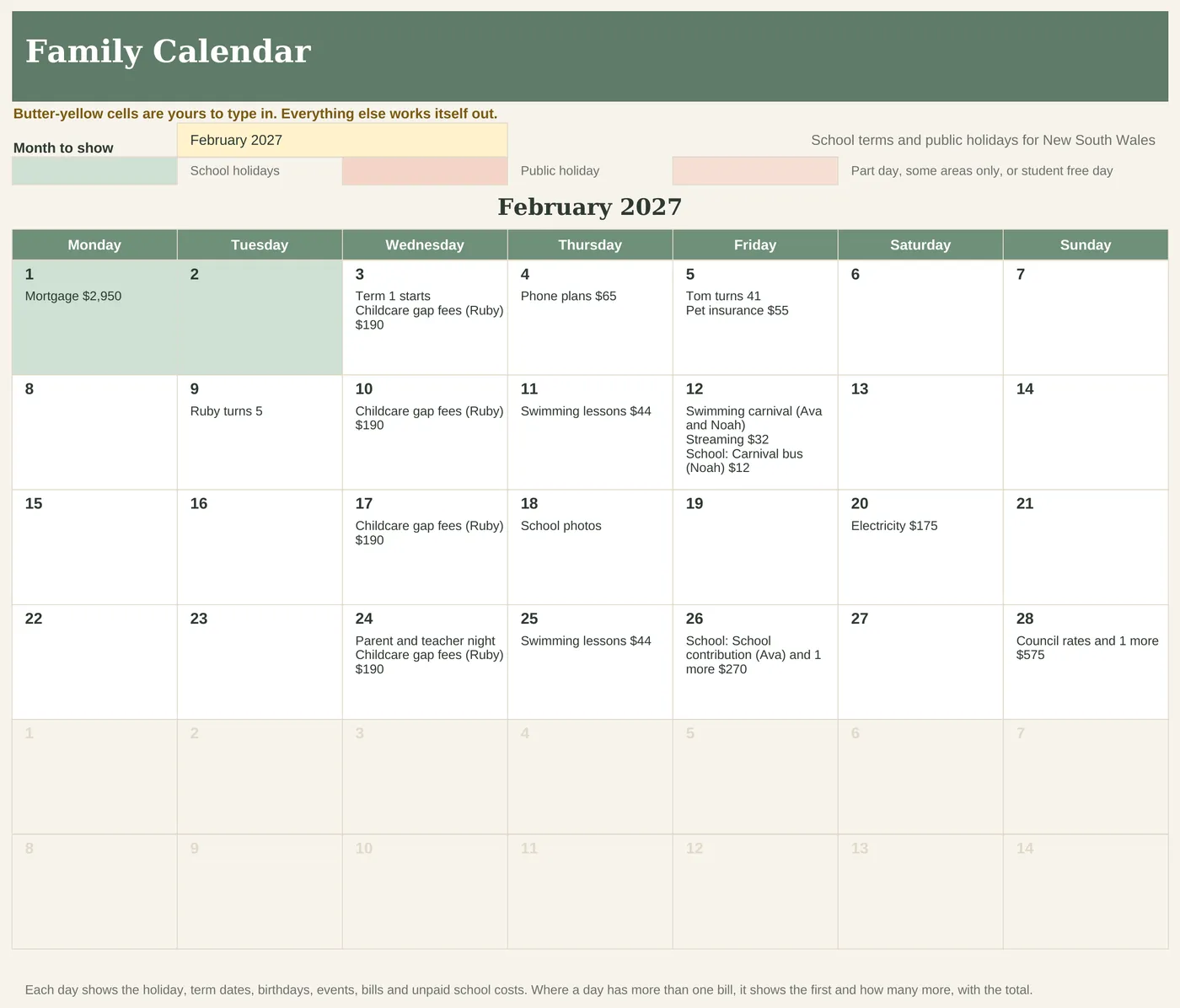
Family Calendar
One month at a time with each day's holidays, term dates, birthdays, events, bills and school costs, school holidays and public holidays shaded.
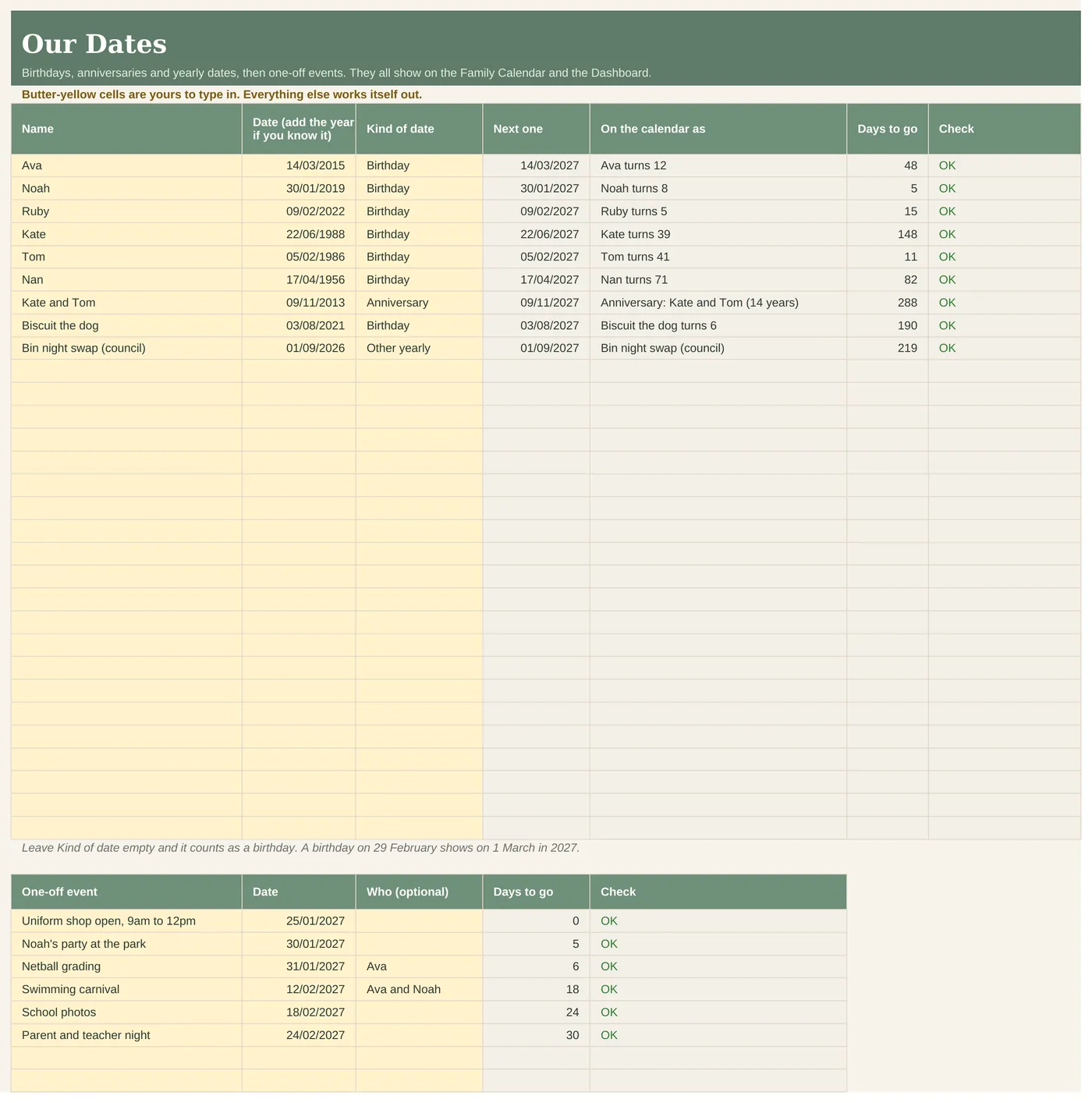
Our Dates
Birthdays with the age they turn, anniversaries, yearly dates and one-off events.
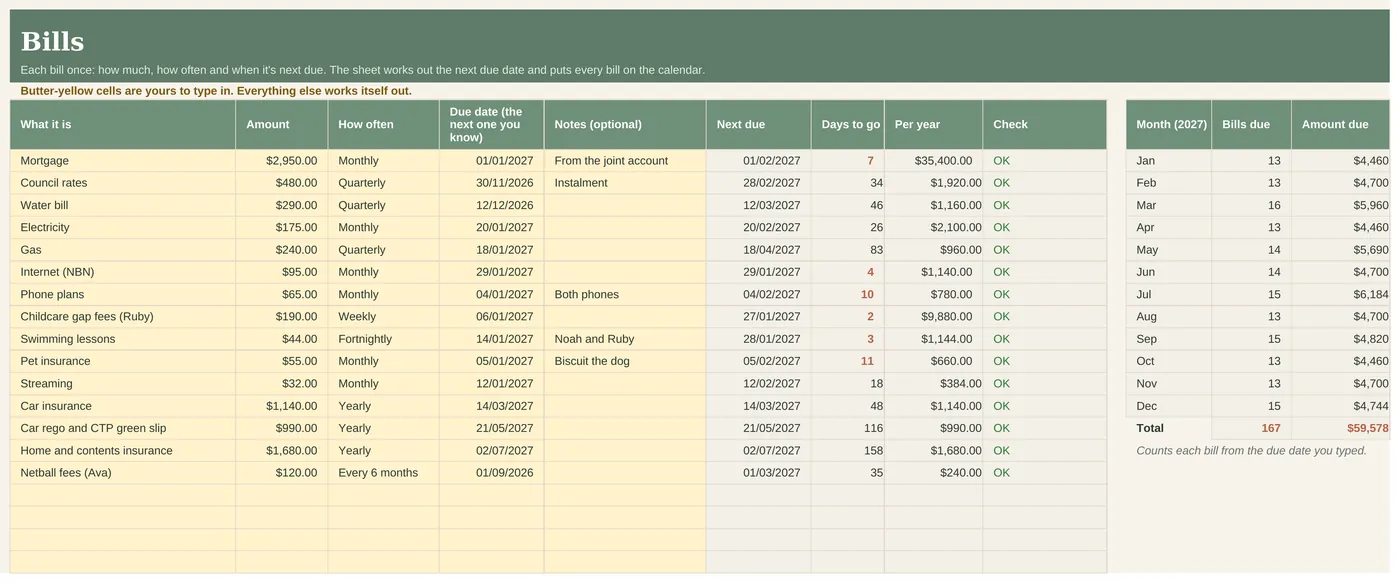
Bills
Each bill once, weekly to yearly or once, with the next due date, days to go, cost per year and bills due in each month of 2027.
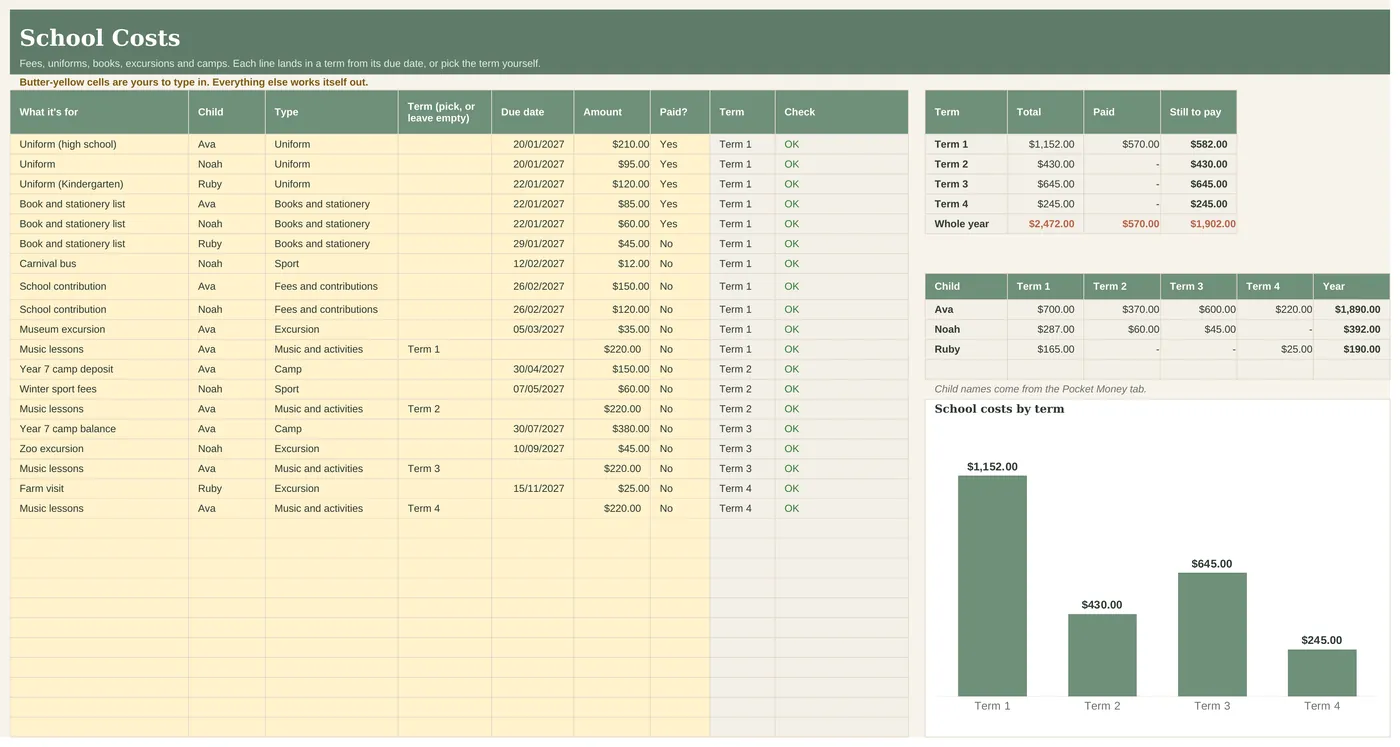
School Costs
Fees, uniforms, books, excursions, camps, sport and music, totalled by term and by child, paid and still to pay.
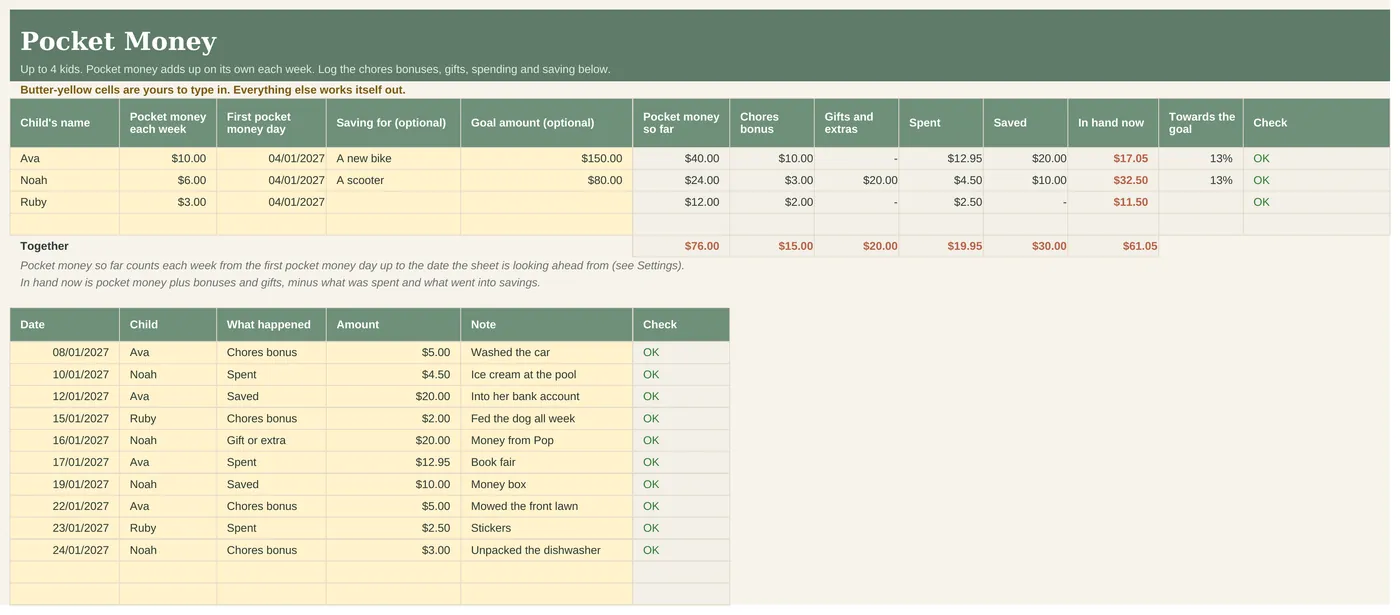
Pocket Money
Up to 4 kids: weekly pocket money that adds up on its own, a log for chores bonuses, gifts, spending and saving, and a savings goal each.
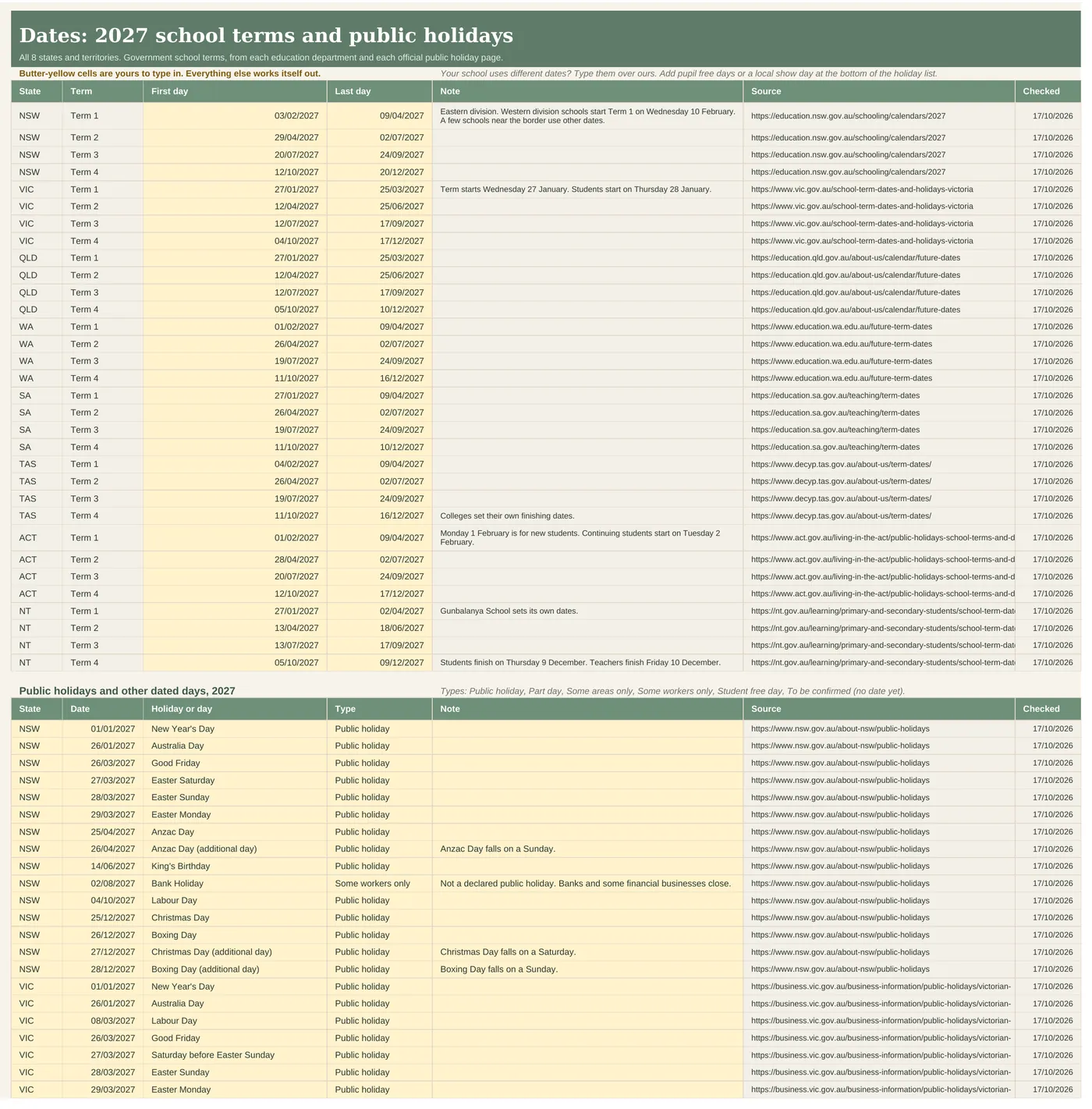
Dates
The 2027 government school terms and public holidays for all 8 states and territories, with the source link and date checked for each.
Who it's for
- Australian families with school-age kids, in any state or territory.
- Families who want the school year and the household admin in one place.
- Catholic and independent school families too. Type your school's term dates over ours.
Who it's not for
- Syncing with a phone calendar or sending reminders.
- A full budget. For that, see the Fortnightly Budget.
- Apple Numbers users.
What's inside
- 9 tabs, opening on the Dashboard
- Every 2027 government school term and public holiday for all 8 states and territories, with sources
- An example copy with a made-up family and a BLANK copy, each in light and dark
- A step-by-step setup video
- Works in Excel 2019 or later, Microsoft 365 and Google Sheets
How setup works
- On Settings, pick your state or territory and type the family name. The 2027 school terms and public holidays fill in.
- Add birthdays and events on Our Dates, then your bills, school costs and pocket money.
- Open the Dashboard for the next 14 days, or the Family Calendar for any month.
Works in
| Excel 2019 or later (Windows and Mac) | Yes |
|---|---|
| Microsoft 365 | Yes |
| Google Sheets | Yes, upload and open |
| Excel for the web | Yes, for everyday use |
| Phone or tablet | Quick looks and entries. Set up on a computer |
| Apple Numbers | No |
Reviews
No reviews yet. This sheet is new to the site. Every review will show here, good or bad, with its date. See how we handle reviews.
Questions people ask.
Does it cover my state?
Yes. NSW, Victoria, Queensland, Western Australia, South Australia, Tasmania, the ACT and the Northern Territory are all in it. Pick yours on Settings.
Where do the dates come from?
Each state's education department (government school terms) and each official public holiday page. The source link and the date checked are next to every date on the Dates tab.
What if a date isn't published yet?
It says To be confirmed, with the page to check. In October 2026 that was Victoria's AFL Grand Final Friday, WA's regional King's Birthday and Queensland's local show holidays. Type the date in when it's announced.
My child goes to a Catholic or independent school.
Type your school's term dates over ours on the Dates tab and the whole sheet follows.
Does it send reminders?
No. It's a spreadsheet, so there's nothing to log in to and nothing to sync. Open it and the Dashboard shows the next 14 days.
Is there a dark version?
Yes, a dark copy of the example and the BLANK file.
Does it work on a Mac?
Yes, in Excel for Mac (2019 or later, or Microsoft 365) or in Google Sheets in any browser. Not in Apple Numbers.
Does it work on my phone?
Fine for a quick look or a quick entry in the Excel or Google Sheets app. Do the first setup on a computer.
Excel or Google Sheets, which should I pick?
Whichever you already use. Excel if you like keeping files on your own computer. Google Sheets if you want to share it with a partner. To use Google Sheets, upload the file to your Google Drive and open it with Google Sheets.
Is it a subscription?
No. You pay once and the files are yours to keep.
What if it doesn't work?
Email us and we'll fix it, replace it or refund you. Faulty files, files that don't work as described and wrong files are always covered under the Australian Consumer Law.
Refunds. Because these are instant digital downloads, we don't offer refunds if you simply change your mind. This doesn't affect your rights under the Australian Consumer Law. If a file is faulty, doesn't work as described or isn't what you ordered, email us and we'll fix it, replace it or refund you. Full refund policy.
Licence. For you and your household (or your own business). Please don't share or resell the file. Licence.
This is a planning tool, not financial advice. It does the sums on the numbers you type in and doesn't know your full situation. School terms are for government schools, so check your own school's dates. Personal use licence for your household.